


.svg)
.svg)
.svg%201.svg)



Get Business Email
No domain name required
Email Domain Hosting
With Free Custom Domain

TL;DR
- Truly free email hosting: Zoho Mail offers a Forever Free plan for up to five users, with 5 GB of storage per user, in eligible regions. You need to own a domain.
- Free trials on Email Hosting: Neo Mail offers a 15-day free trial to set up and explore business email, plus a free AI-generated website, while Fastmail offers up to a 30-day trial.
- What's not always free? Domain registration, extra storage, additional mailboxes, and advanced features may cost extra.
- Best option for small businesses: Choose Zoho Mail if you need basic email hosting with a free plan, Neo Mail if you want to explore professional business email features with a 15-day free trial, or Fastmail if you prefer a straightforward, paid email service with a 30-day free trial.
Can you get free email hosting with your own domain?
Yes, you can get free email hosting with a custom domain using Neo Mail's 15-day free trial, while Fastmail offers a free trial of up to 30 days. Zoho Mail is another option, offering free email hosting through its free forever plan.
To create a professional business email, you need two things:
- A custom domain: The name after the @ symbol, such as yourbusiness.com.
- Email hosting: A service that lets you send, receive, and store emails using your domain.
While some providers offer free email hosting if you already own a domain, others, like Neo Mail, provide email hosting without owning a domain.
How to get free email hosting with a custom domain
There are 2 ways to get free email hosting with your own domain.
Way 1: 100% free email hosting
1. Zoho Mail: Truly free email hosting for small businesses
Zoho Mail offers a Forever Free plan for small businesses that already own a domain. It supports up to five users, with 5 GB of storage per user, allowing you to create professional business email addresses without paying a monthly hosting fee.
How to create a free business email with Zoho Mail
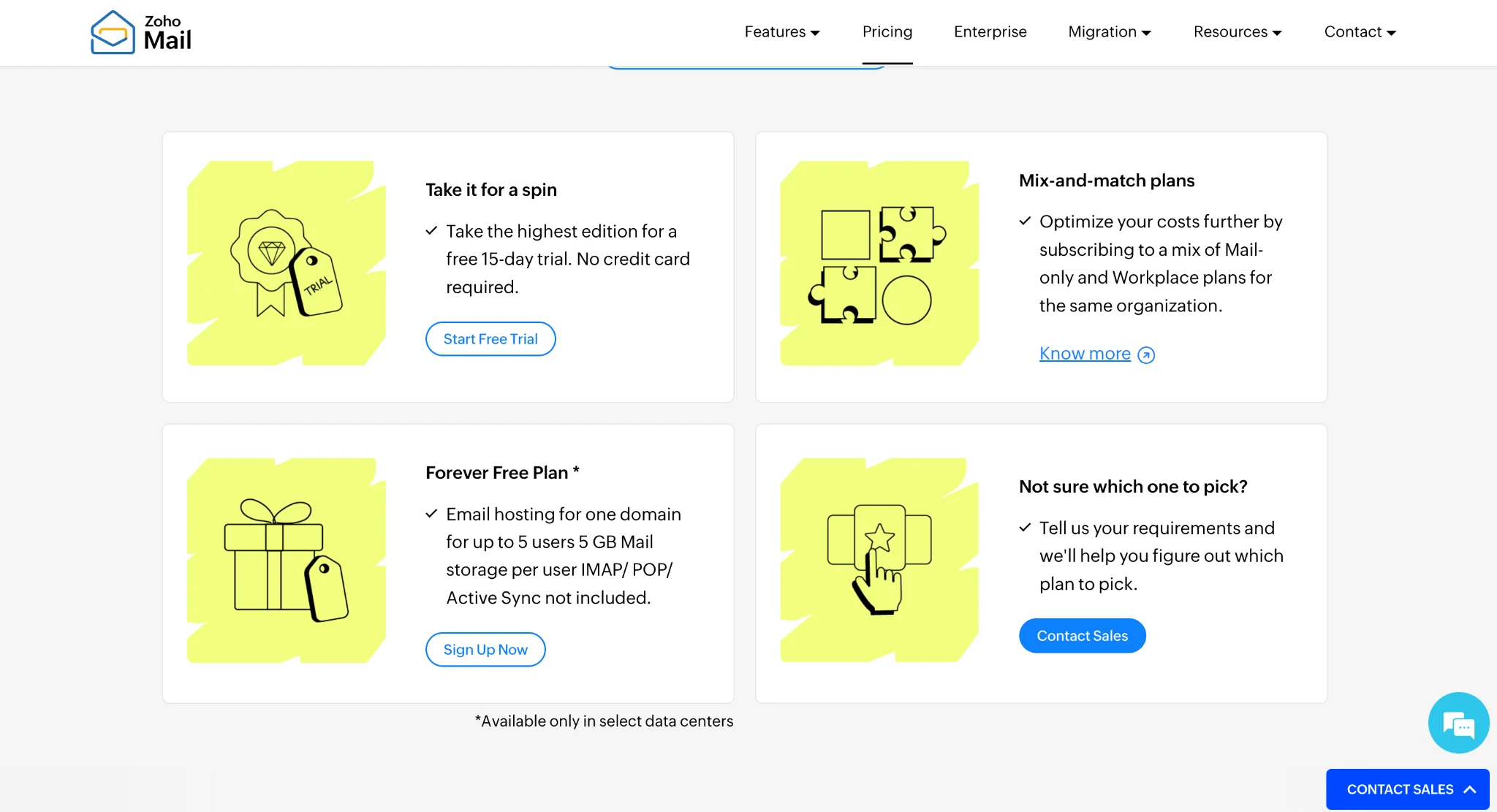
Step 1: Visit Zoho Mail: Go to Zoho Mail and find the Forever Free plan on its pricing page. Select the plan if it's available in your region.
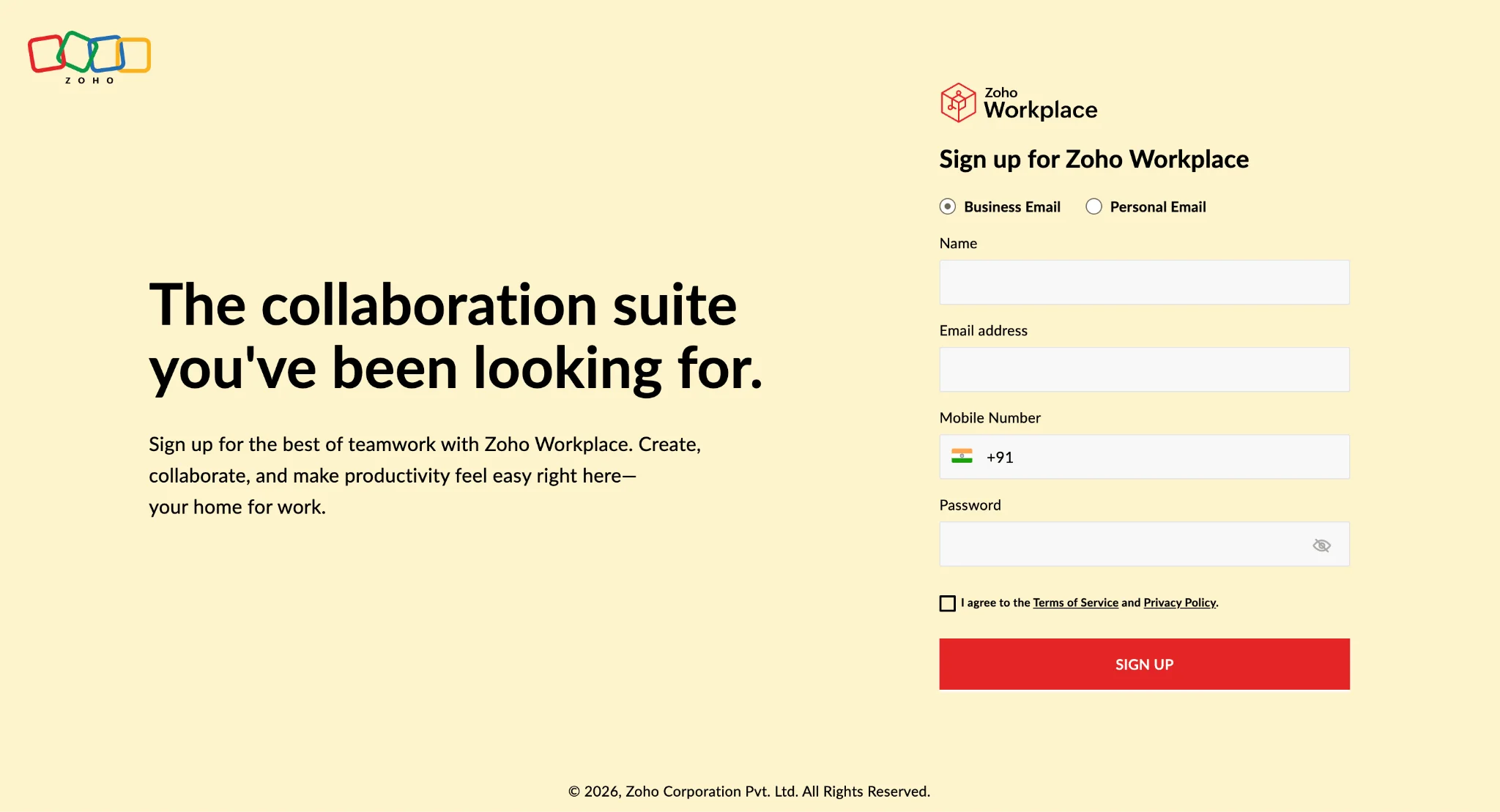
Step 2: Create your account: Enter your business and account details to begin the registration process.
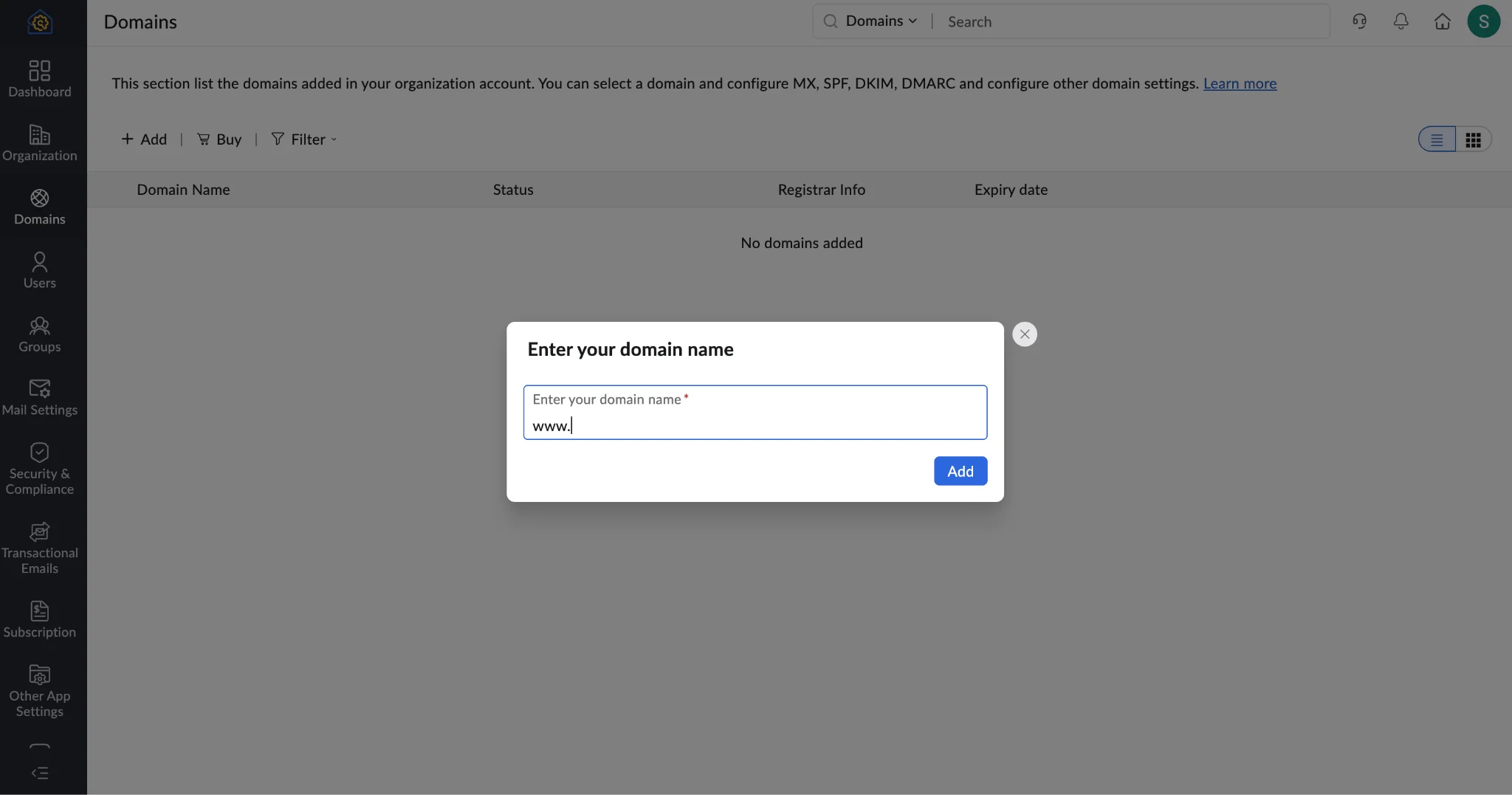
Step 3: Add your custom domain: Enter the domain you want to use, such as yourbusiness.com. If you don't already own a domain, you'll need to purchase one separately.
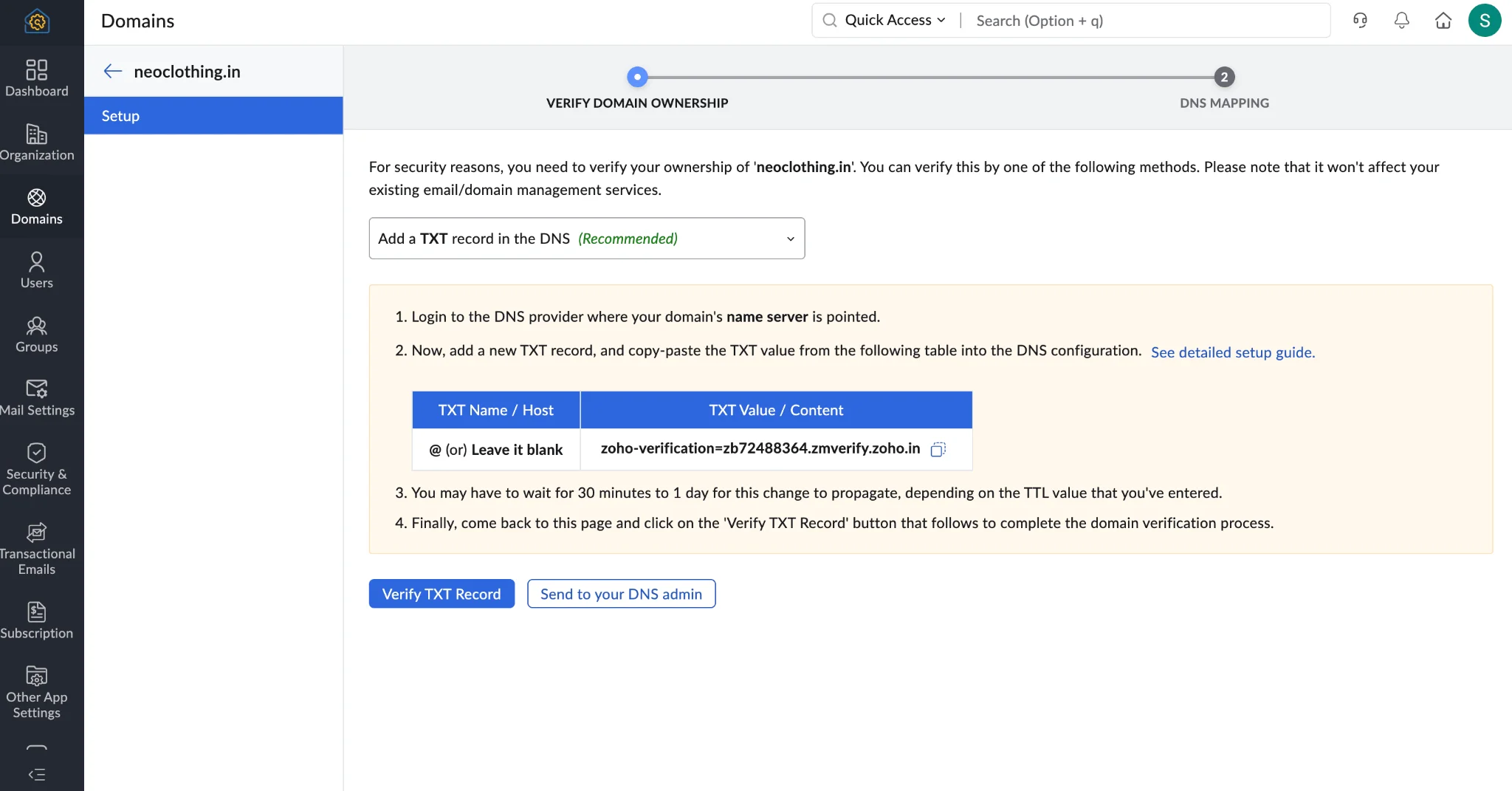
Step 4: Verify domain ownership: Zoho Mail will provide a DNS record to add through your domain registrar. This confirms that you own the domain.
Step 5: Configure your email records: Add the MX records supplied by Zoho Mail so incoming messages reach your new mailbox. You should also configure SPF, DKIM, and DMARC records to help authenticate emails sent from your domain.
Step 6: Create your business email address: Once your domain is verified, create your first mailbox, such as hello@yourbusiness.com. You can add up to five users under the eligible free plan.
Step 7: Test your email: Send a message to another email account and reply to it. Confirm that both sending and receiving work correctly.
Your free business email is now ready.
Things to consider: Zoho Mail's free plan doesn't support IMAP, POP, or ActiveSync. If you want to connect your mailbox to certain third-party email applications or require more storage, you may need to upgrade.
What Does Zoho Mail Offer With Its Forever Free Plan?
Zoho Mail provides basic business email hosting for small teams that already own a domain, without charging a monthly subscription fee.
Some of its features include:
- Custom Domain Email: Create professional email addresses using your existing domain.
- Up to 5 Users: Set up separate business email accounts for five team members.
- 5 GB Mailbox Storage: Store emails and attachments with 5 GB of storage per user.
- Webmail Access: Send, receive, and manage emails directly from your browser.
- Spam Protection: Help filter unwanted and suspicious emails.
- Email Organization: Organize messages using folders and filters.
- Domain Administration: Manage your business domain and email accounts from an admin console.
The Forever Free plan is available in selected regions and doesn't include IMAP, POP, or ActiveSync access. Zoho Mail suits freelancers, solo-owned businesses, and small teams that already own a domain and need basic business email without ongoing hosting costs.
Way 2: Free email hosting trials with a custom domain
Free trials let you set up a professional business email and test the provider's features before paying. Here are two options worth considering.
Option 1: Neo Mail – Free business email hosting with domain for small businesses & solo businesses (Free trial)
You can try Neo Mail free for 15 days before choosing a plan. A trial helps you understand whether those features are useful before committing to a subscription.
How to get free business email and free AI-generated website with Neo Mail:
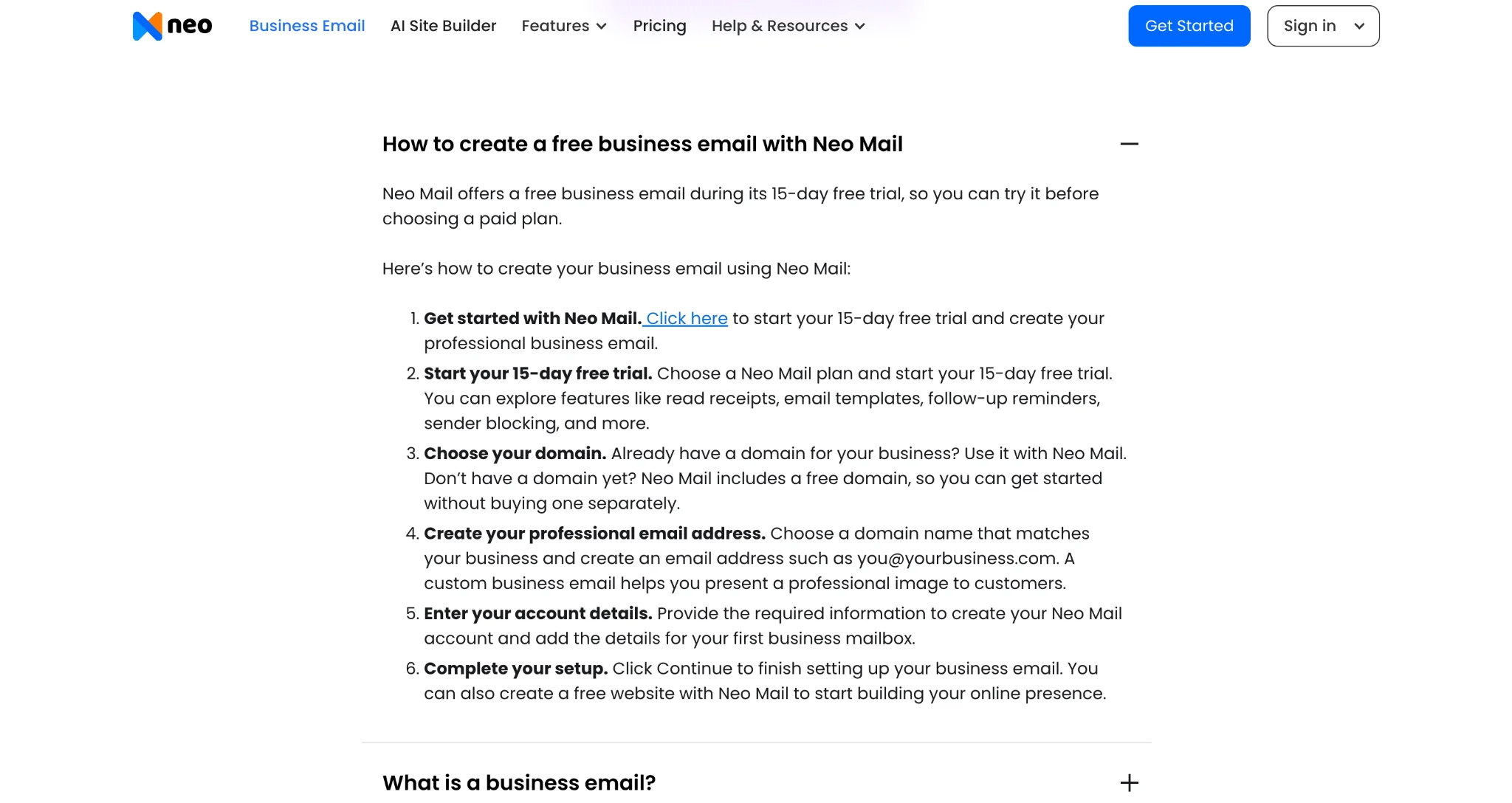
Step 1: Visit Neo Mail: Go to this page of Neo Mail and click on FAQs section and expand “How to create a free business email with Neo Mail.” Look for the “Click here” link in Step 1.
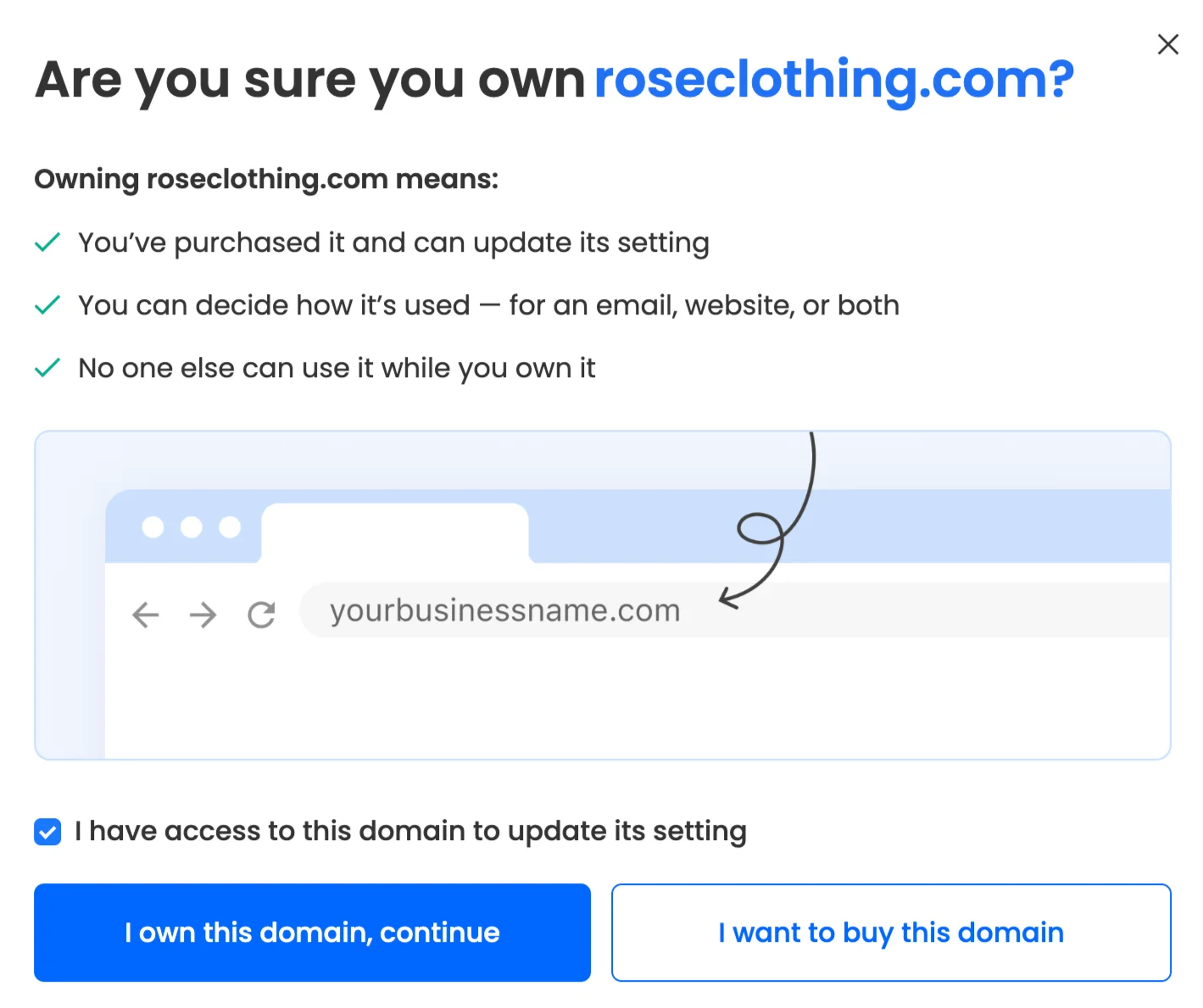
Step 2: Add your domain name: Select “Use a domain I own” and enter the domain name you own to connect.
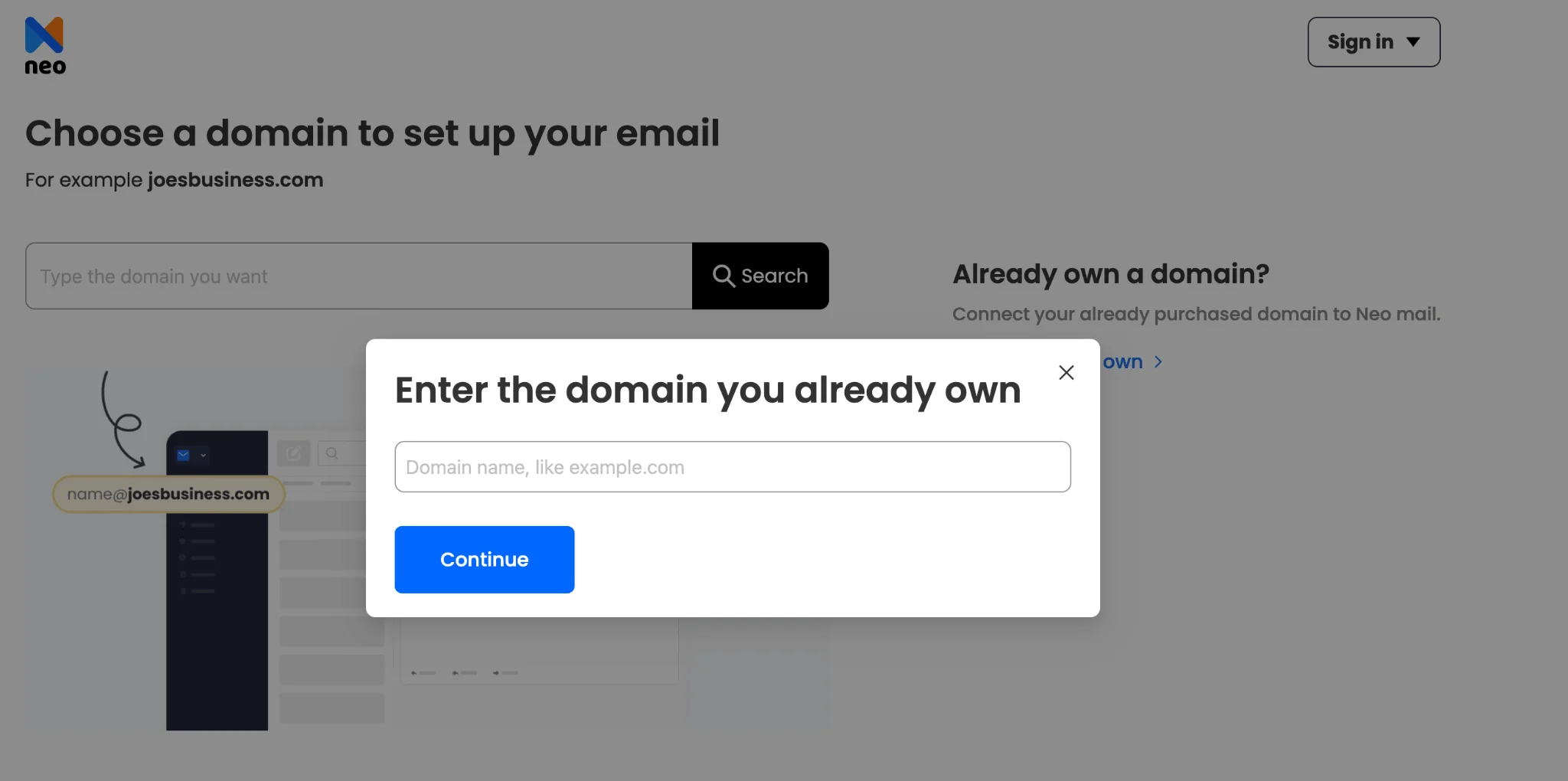
If you don't own a domain, you can look for a domain name that is available for you to use.
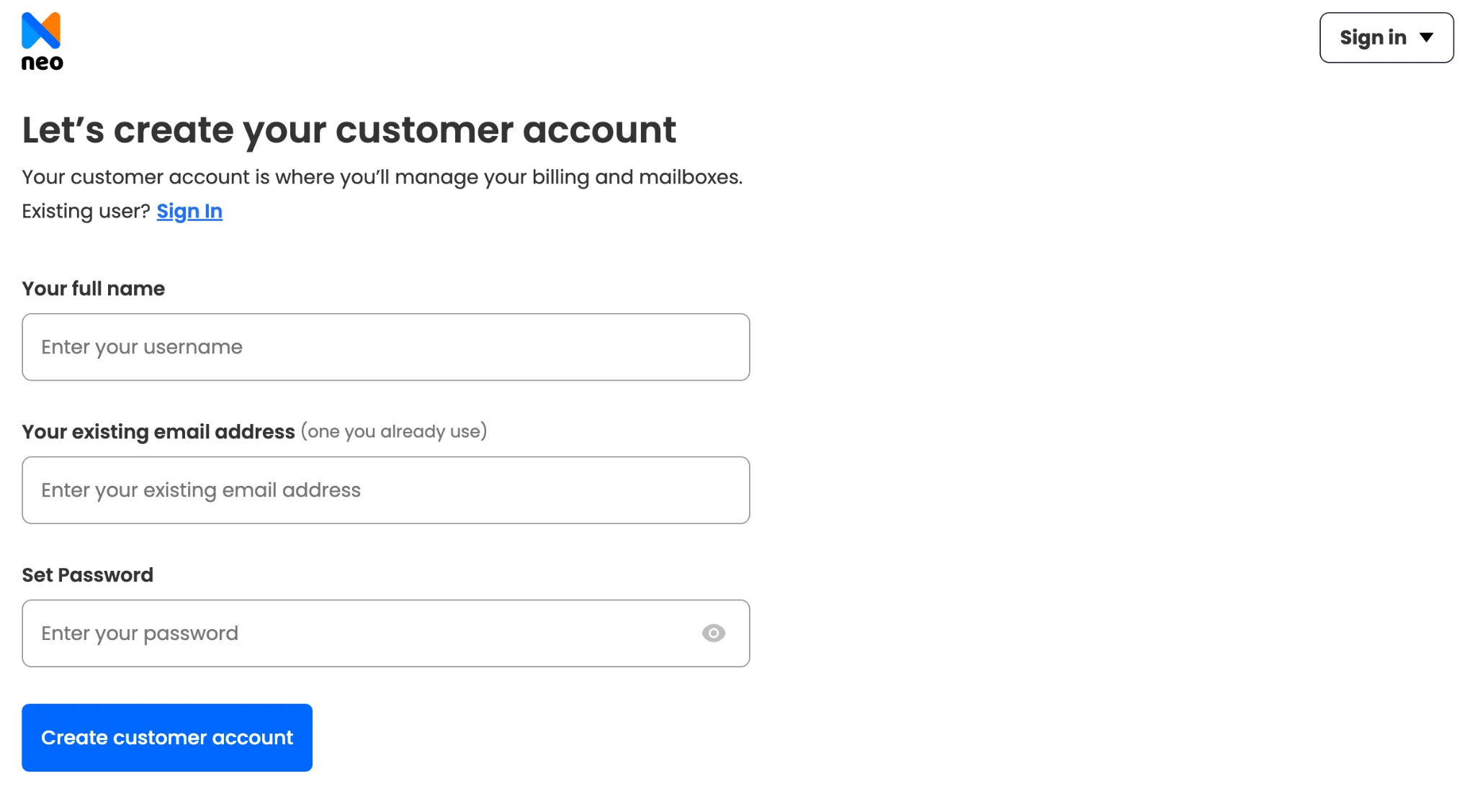
Step 3: Create your Neo Mail account: Enter the necessary details to register your account and continue with the setup.
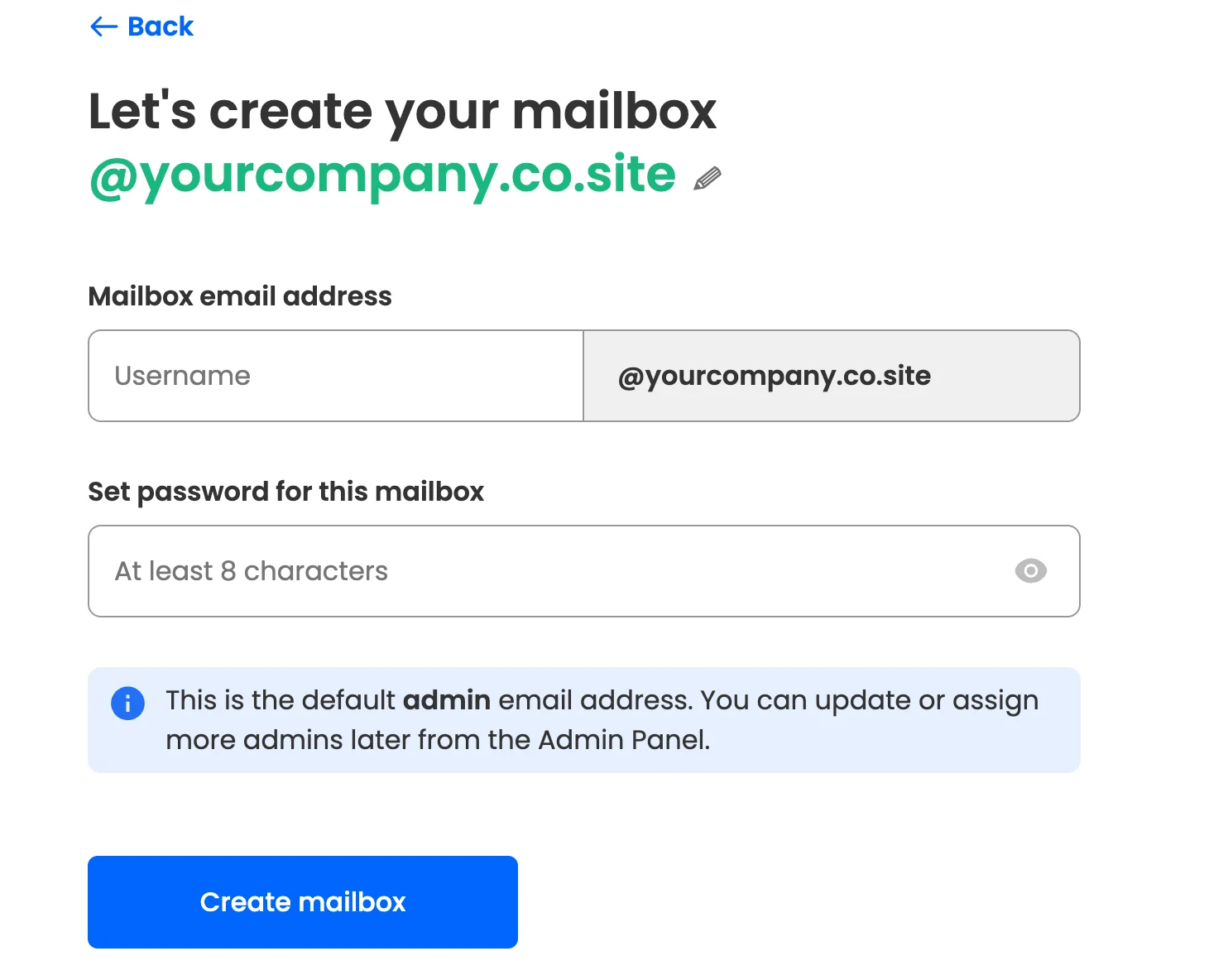
Step 4: Set up your mailbox and security: Create your business email address, choose a secure password, and complete the mailbox setup. Enable two-factor authentication for additional security.
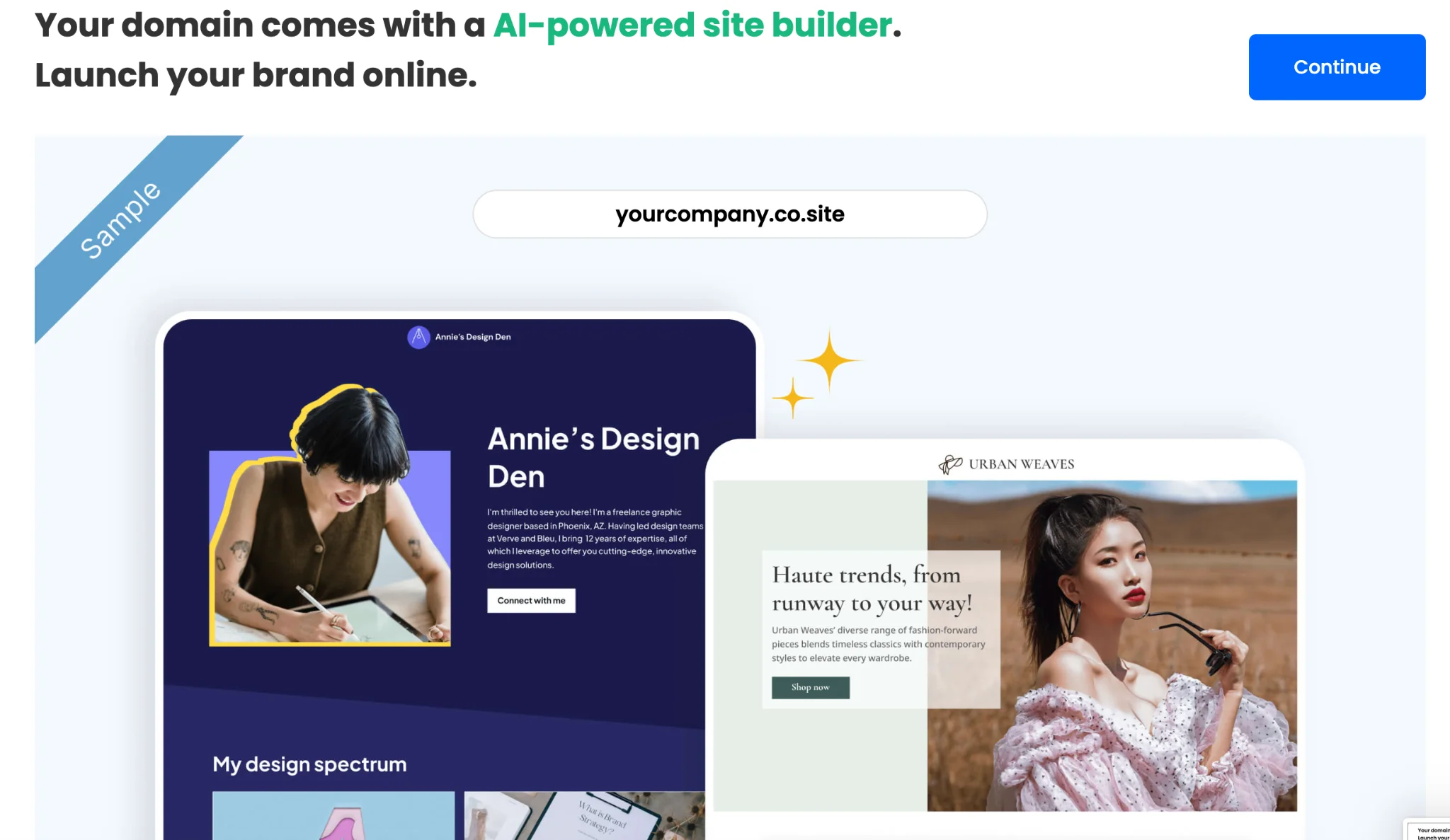
Step 5: Create your business website if required: Use Neo Mail's included free AI website builder to create a professional website for your business without any coding.
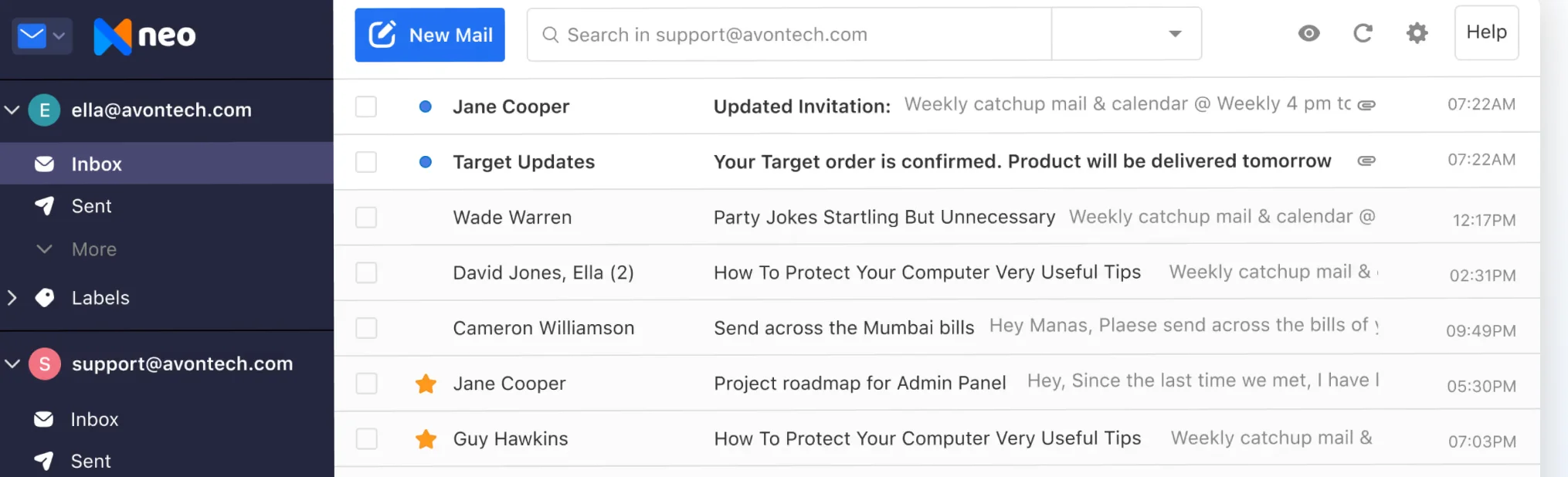
Step 6: Start using your business email: Your business email is now ready! You can start sending and receiving emails using your professional email address.
What Does Neo Mail Offer Beyond Basic Email Hosting?
Neo Mail combines professional email with tools for everyday business communication.
Some of its features include:
- Read Receipts: See when recipients open your emails.
- Free AI Website Builder: Creates an AI-generated website for your business.
- AI Inbox: Manage your inbox more efficiently with AI-powered email assistance.
- Neo Drive: Store, organize, and share business files securely.
- MCP Integration: Connect your email with AI assistants like ChatGPT and Claude to manage emails, calendars, and contacts.
- Invoice Builder: Create, customize, and manage professional invoices and quotes.
- Email Templates: Save frequently used messages for faster replies.
- Send Later: Schedule emails to be delivered at a chosen time.
- Follow-up Reminders: Keep track of conversations that need attention.
- AI Email Writer: Draft and refine business emails.
- Mobile Apps: Access business emails from Android and iOS devices.
Feature availability depends on the selected plan. Neo Mail starts at $1.25 per mailbox per month on its 4-year plan. Neo Mail is best suited for consultants, freelancers, solopreneurs, and small team owners who want business email with easy setup.
Option 2: Fastmail – Up to 30-day free custom domain email trial
It offers a free trial of up to 30 days, allowing you to explore its service before subscribing.
How to create a business email with Fastmail
Step 1: Visit Fastmail: Go to Fastmail and start a free trial.
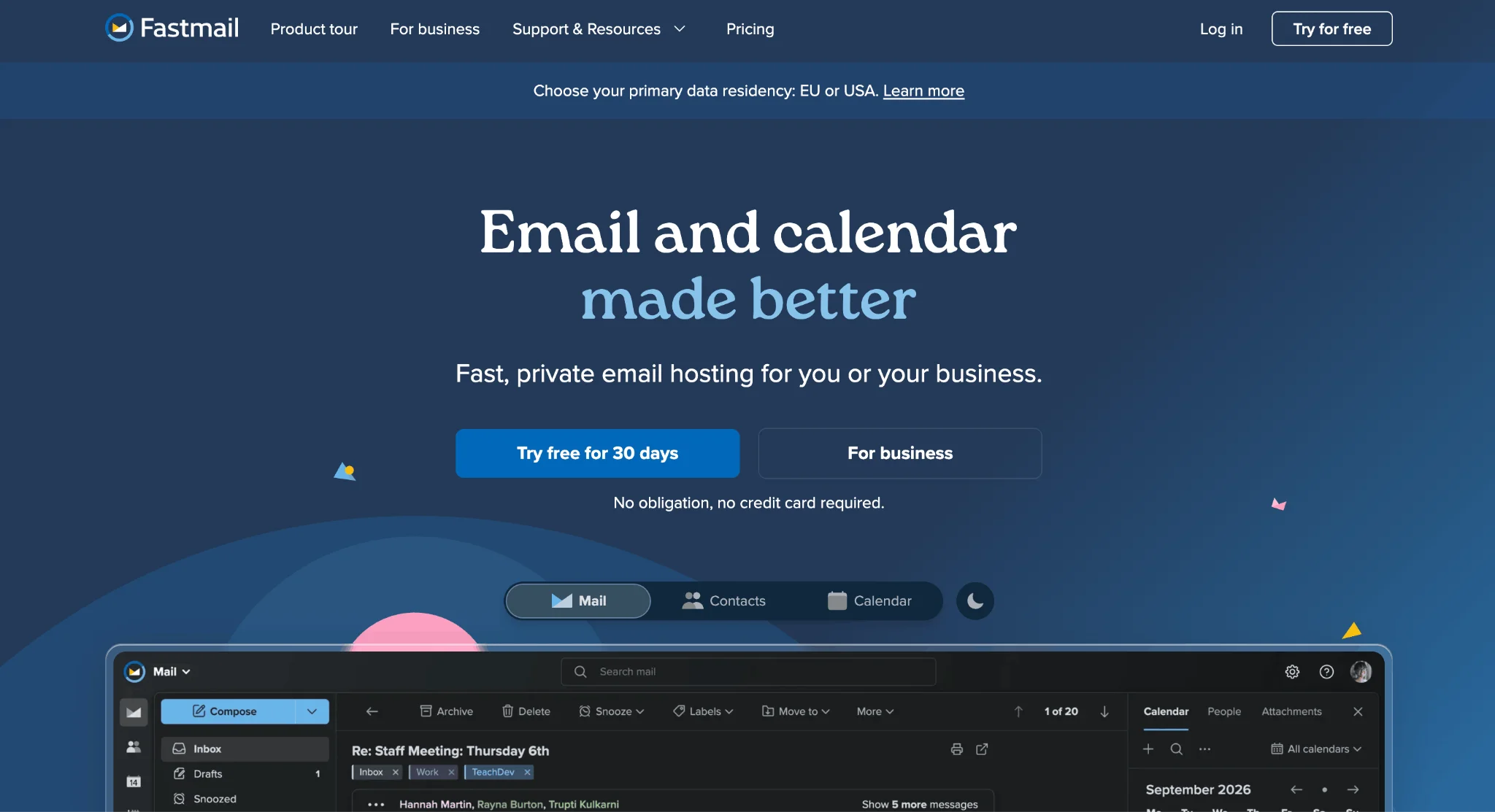
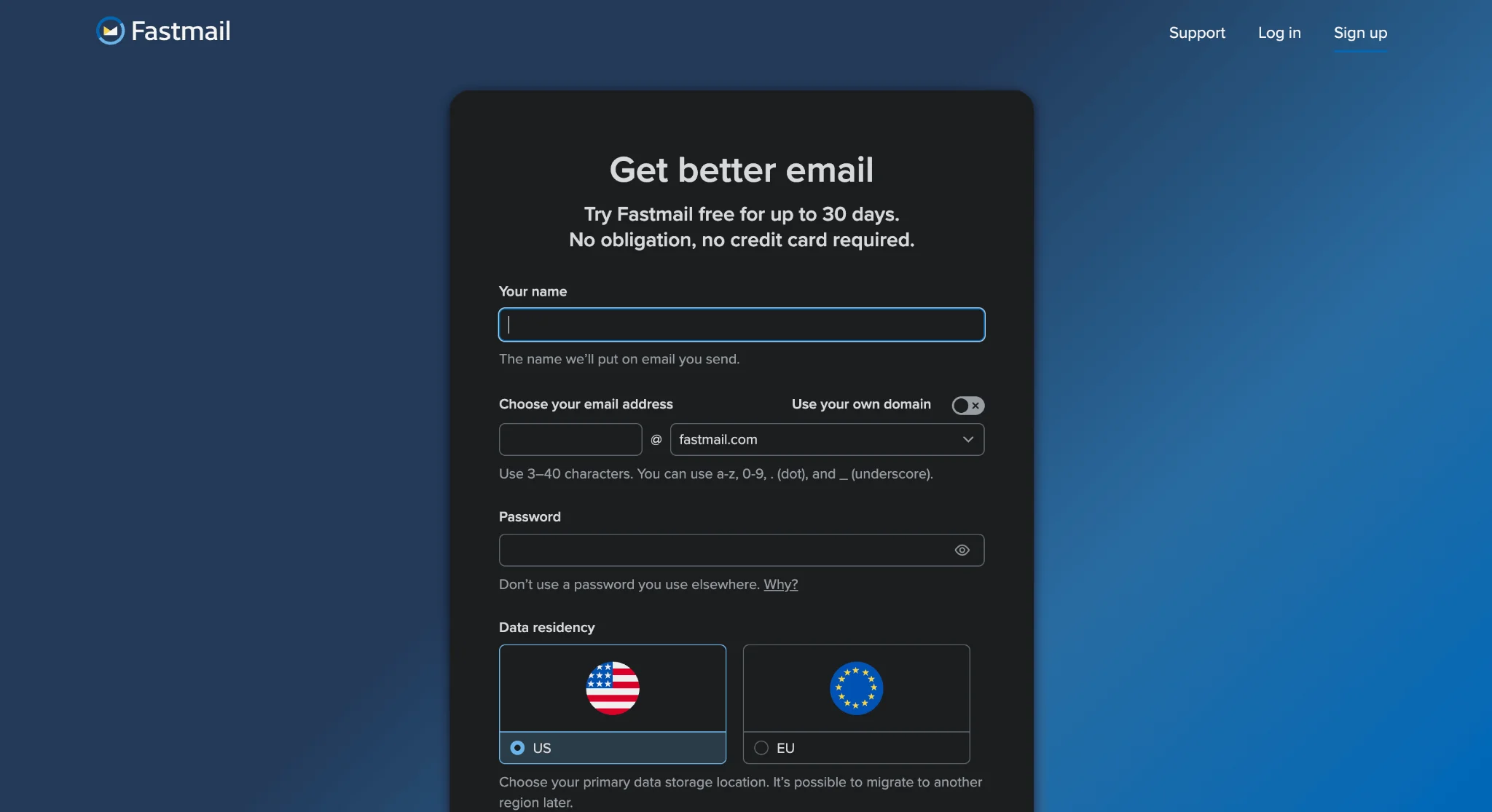
Step 2: Create your account and add your domain: Enter your name, choose an email address, and create a password. Turn on the Use your own domain option to enter your existing business domain. Then select your preferred data storage location (US or EU).
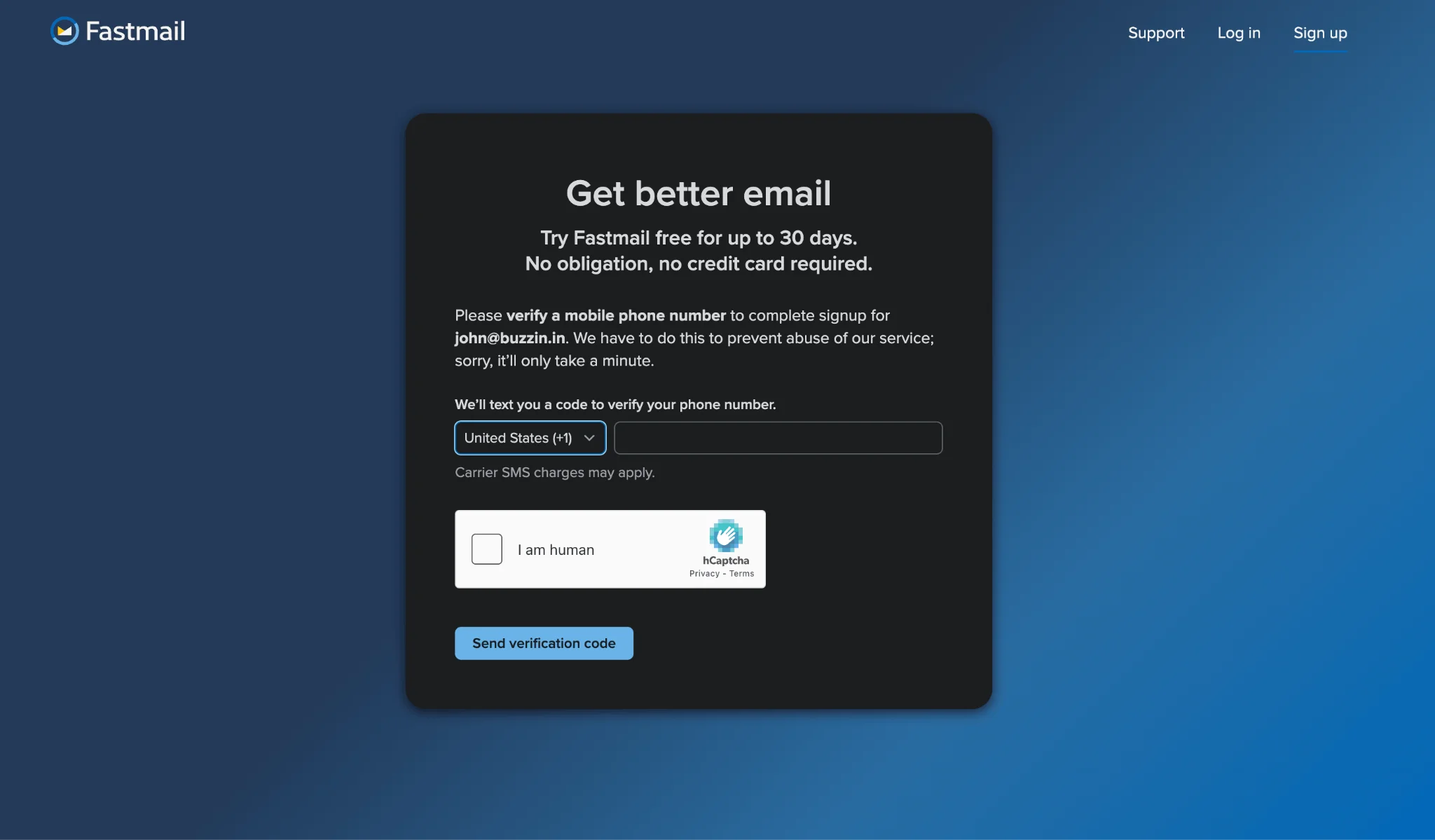
Step 3: Verify your phone number: Enter your phone number and complete the verification process using the code sent to your phone.
Step 4: Configure your domain: Follow Fastmail's domain setup wizard to update your DNS records. The instructions will depend on your domain registrar and whether you already have a website using the domain.
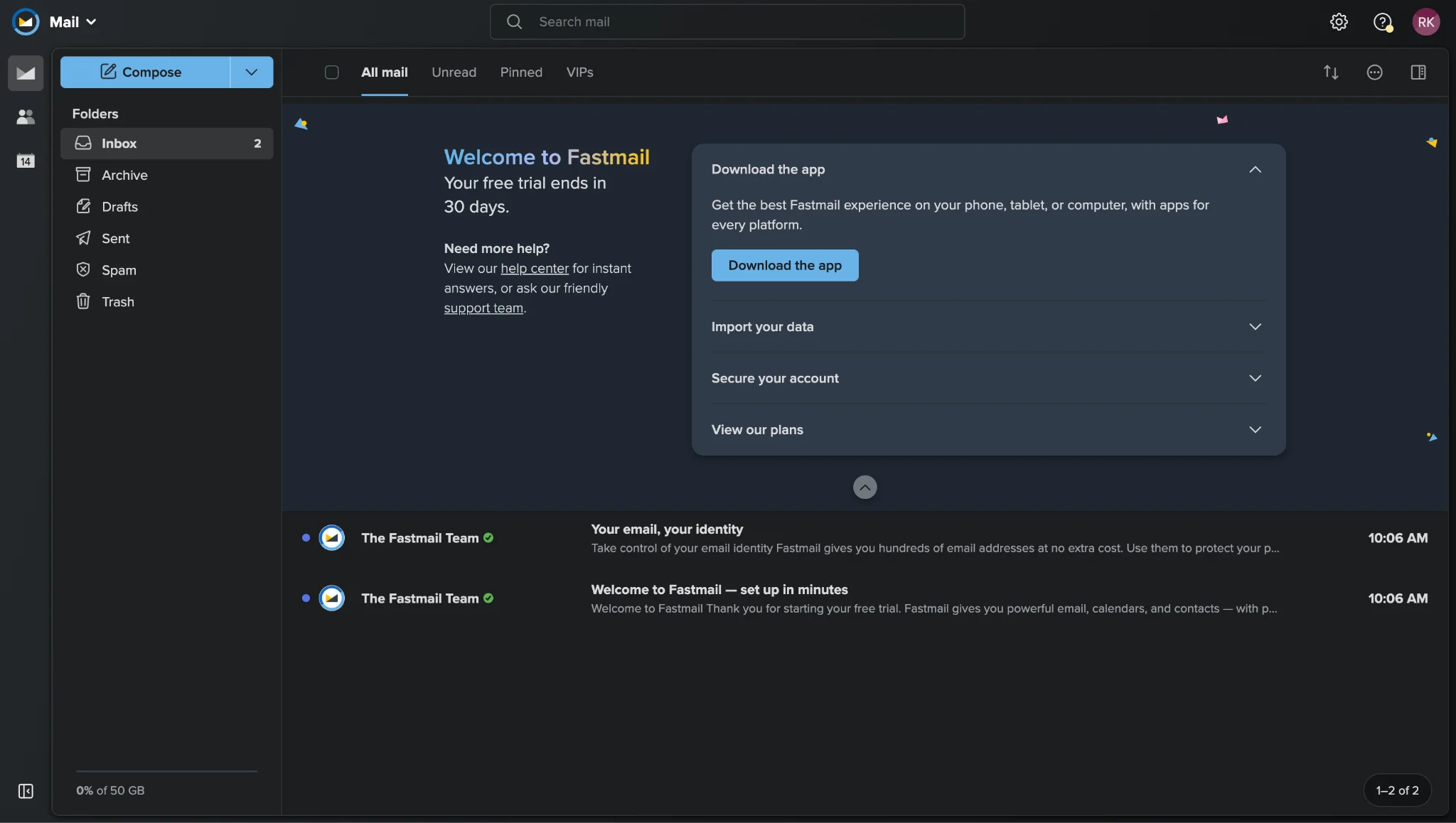
Step 5: Create your email address: Set up your preferred business email address, such as contact@yourbusiness.com.
Step 6: Test your business email: Send a test email and make sure you can receive replies.
Things to consider: Fastmail's trial has certain restrictions, including a maximum of five email addresses and a limit of 120 outgoing messages per day. The trial lasts up to 30 days, after which a paid subscription is required to continue sending and receiving email.
What Does Fastmail Offer Beyond Basic Email Hosting?
Fastmail combines professional email with calendar, contact management, and inbox organisation tools.
Some of its features include:
- Custom Domain Email: Create professional business email addresses using your own domain.
- Masked Email: Generate unique email addresses to keep your primary address private.
- Scheduled Send: Write emails now and schedule them for later.
- Snooze Emails: Temporarily hide messages and bring them back when needed.
- Email Aliases: Manage multiple email addresses from one account.
- Spam Protection: Filter unwanted emails and manage spam settings.
- Email Rules: Automatically sort incoming messages into folders.
- Calendar and Contacts: Manage appointments and contacts alongside your emails.
- Mobile Apps: Access email, calendars, and contacts on Android and iOS devices.
- Third-Party Email Access: Connect supported email clients, such as Outlook and Apple Mail.
Fastmail offers 120 outgoing messages per day, and some features are restricted during the trial; a paid subscription is required afterward. Fastmail is best suited for freelancers, independent professionals, and small businesses looking for a dedicated email service with built-in productivity tools.
What's the catch with free email hosting?
Free email hosting can be useful, but there are trade-offs.
Here are some common limitations to check before creating your business email.
1. Limited mailboxes- Some providers restrict how many users can have an inbox on the free plan. This becomes a problem when you hire more employees.
2. Limited storage- Free plans often include only a few gigabytes of mailbox storage. Attachments and long email conversations can gradually fill that space.
3. Restricted third-party email access- Some free plans don't allow you to connect your mailbox to Outlook, Apple Mail, or other email applications through IMAP or POP.
4. Sending limits- Providers may limit the number of messages you can send each day, particularly during free trials.
5. Limited advanced features- Email scheduling, detailed administrative controls, additional security options, and productivity features may require an upgrade.
6. Customer support restrictions- Depending on the provider, free users may have fewer support options than paying customers.
None of these limitations necessarily makes a free plan a poor choice. What matters is whether the restrictions affect how you use business email.
FAQs
1. Can I get free email hosting with my own domain?
Yes. Neo Mail offers a 15-day free trial to create a professional business email with your custom domain. Alternatively, Zoho Mail offers a Forever Free plan for up to five users in eligible regions, but you'll need to own a domain.
2. Can I create a business email without buying a domain?
You can use a free address from Gmail or another provider, but it won't use your own custom domain. For a branded business email, Neo Mail provides a free domain option with eligible email plans.
3. Is free email hosting really free forever?
Yes, some providers, like Zoho Mail, offer a Forever Free plan for up to five users, with 5 GB of storage each. However, free plans come with certain feature limitations, and providers may change their terms. Free trials, on the other hand, have a fixed end date and require a paid subscription to continue using the service.
4. Does Neo Mail offer free business email hosting?
Neo Mail offers a 15-day free trial. After the trial, a paid subscription is required.
5. Can I create multiple email addresses with one domain?
Yes. Providers may allow multiple mailboxes, aliases, or both. For example, you might create hello@yourbusiness.com, sales@yourbusiness.com, and support@yourbusiness.com. The number of available mailboxes depends on your plan.
6. What happens if my custom domain expires?
Your business email may stop receiving messages because your domain is no longer active. Enable domain auto-renewal and keep your registration details up to date to avoid interruptions.
7. Is free email hosting suitable for a growing business?
It can be suitable initially, especially for small teams with basic email requirements. As your business grows, you may need additional mailboxes, storage, support, or productivity features that require a paid plan.
Get Business Email
No domain name required
Email Domain Hosting
With Free Custom Domain
