



.svg)
.svg)
.svg%201.svg)



Get Business Email
No domain name required
Build a website for your event
with Neo Sites

The ultimate goal of organizing an event for a conference or a festival is to encourage people to show up. And for this, an event website serves as the biggest driver for generating registrations and boosting sales.
Your website becomes the one-stop place for showcasing your partners, speakers, and most importantly, an authorized place to share the details (venue and time) and other critical information with your prospective guests or audience.
If you are also planning an event for a festival or a conference, and are figuring out how to build a high-converting event website, this blog lists out the top 5 event website examples that you can take inspiration from and integrate their strategies into your event website design.
Summary
An event website is your event's home on the internet. It tells people what your event is about, when and where it's happening, and how they can join.
When starting with creating an event website, the best option is to build a website with custom domains that enhance your branding and reliability. However, creating one should not be challenging. That’s where powerful AI-website builders come in picture. They can help you in creating an event website that is:
- Easily customizable to add or edit important event information.
- Guide customers in registering or purchasing tickets.
- Engages visitors with stunning visuals and helpful information.
- Provides seamless functionality with mobile devices to enhance website usability.
To build a one-page or a complete event website, you can use modern tools like Neo Sites.
What is an Event Website?
An event website is a special webpage that is developed around a specific event, like a conference, festival, concert, workshop, or fair. Imagine it as an online poster, but much more practical and interactive.
A standard event website contains:
- Title of the event and slogan that draws attention.
- Date, time, and location information.
- Specifics on the purpose of the event and the type of people who should attend.
- Ticket price and registration guidelines.
- Details of speakers or performers.
- Timetable of activities and contact numbers.
Why are Event Websites Important?
Designing an event website is no longer an added advantage, but a necessity for any event.
Here's why:
- Individuals are able to access information at any time: It is possible to overlook a website, but it is never missed. Any person can visit a website at any time and locate all the details of the event without any need to contact the event managers.
- Makes your event appear more credible: A well-crafted and clean branded website (often generated through the best website builders) makes a good first impression. It makes people aware that your event is genuine, well-planned, reliable, and worth attending.
- Tickets become easy to buy: Visitors can purchase event tickets through a quick purchase or booking button, without any hassles of long queues, waiting period, and telephone calls.
- Your event can be discovered by more people online: By optimizing your event website using SEO optimization tools, you can enhance the visibility of your event website to a larger audience group.
In short, by building an effective event website design, you can achieve: an increased trust in your prospected customers, reduced friction from the process of booking and purchasing tickets, and a credible communication platform to share details, updates, and the value of your event to your audience.
Types of Event Websites
Different events have different objectives, and hence their websites also require different styles. Let's look at the main types:
1. Conference Websites
Conference websites are designed to be used in professional events where individuals gather to learn and network. They typically display details about the speakers, the schedule of the session, ticket availability, venue maps, and sponsor information.
2. Festival websites
The festival websites are made to be fun and vibrant. They usually have lineups of performers, colorful images, event maps, ticket packages, frequently asked questions, and photos of previous festivals.
3. Training and Workshop Websites
These websites are skill-building-oriented. They emphasize what the attendees will learn, who will be the instructor, what materials will be included, and whether they will receive a certificate.
Top 5 Event Website Examples that You Can Refer To for Inspiration
Some event websites feel special the moment you open them. They don’t just tell people when and where the event is happening; they make visitors feel excited, informed, and ready to attend. A well-designed event website becomes the first part of the event experience itself.
Below are some amazing event website design examples that show how great design, clear information, and strong branding are a critical part of high-converting event website designs.
1. Music and Art Festival Website: Coachella
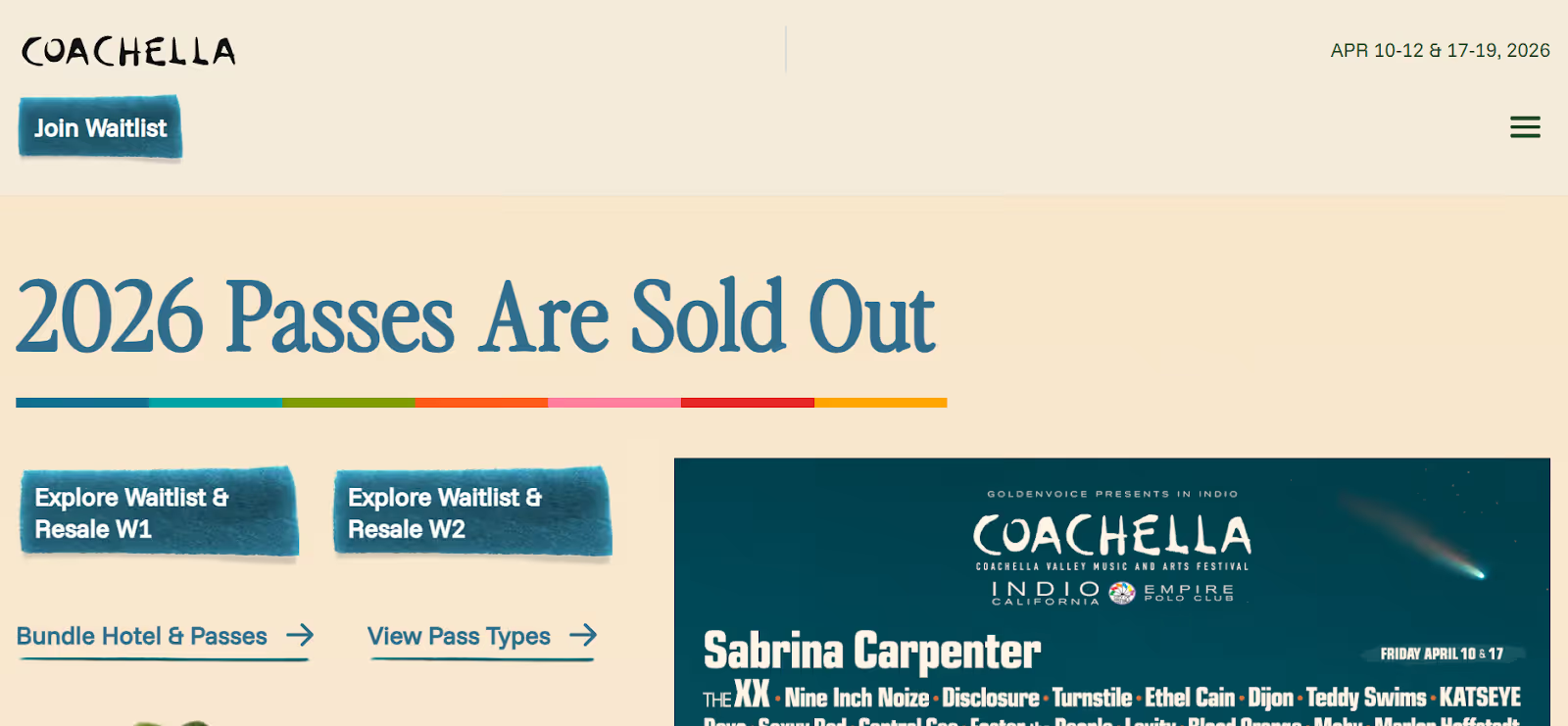
One of the world’s most popular music and art event ‘Coachella’ website, is accessed by millions of people worldwide. That’s why the website ensures to share complete and true information on its homepage only.
- To avoid any misunderstanding, the website clearly mentions in bold the sold-out status of the 2026 tickets.
- It has clear buttons to allow people to join the waitlist and explore resale waitlists.
- It also displays information about the performs, passes, camps onsite, etc.
Why is this website a good example?
The website aims to prevent any false urgency and clearly highlights the essential information to address the massive global traffic.
2. Sales Conference Event: Unleash by Outreach
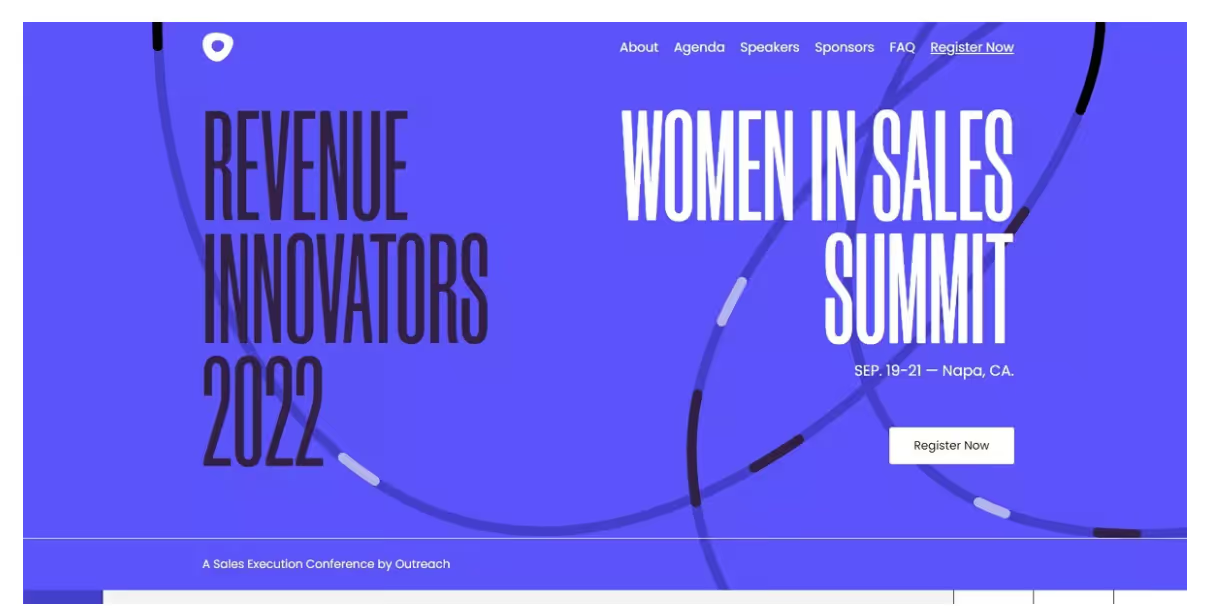
A website for a specially organized sales summit event by Outreach is an ideal example of how professional event websites look:
- It highlights the key motive of the conference, ‘Women in Sales Summit’.
- It has a clear ‘Register now’ button, so interested audience can directly register through the homepage.
- Use of solid colors signifies power, readability, and consistency in the website design.
Why is this website a good example?
The website design has a clear call-to-action positioned at the right place on the webpage. Plus, it displays a strong visual identity, a straightforward navigation, and clear messaging.
2. Photo Festival Event: Palm Springs
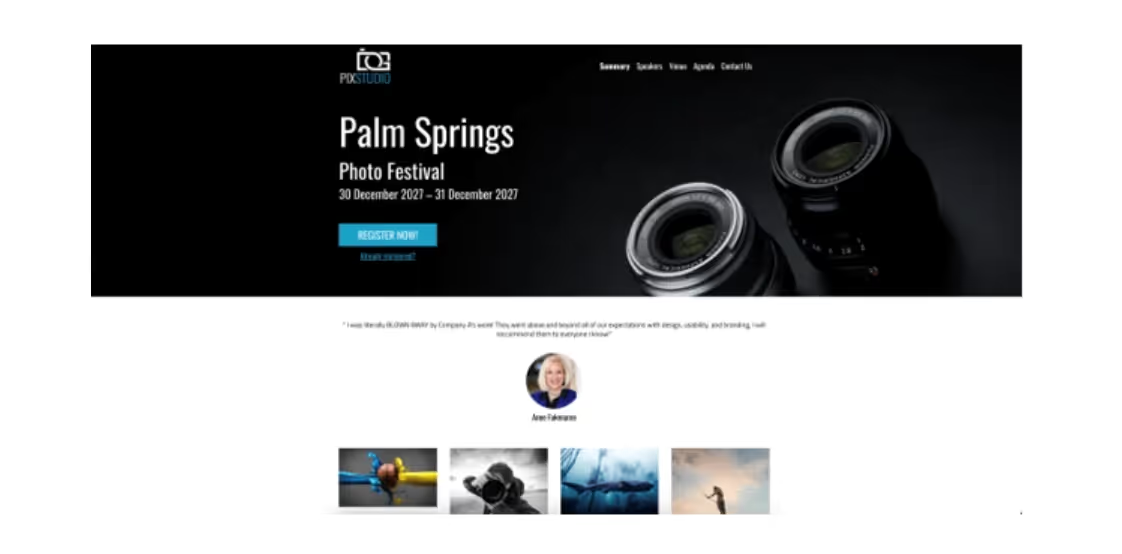
The Palm Springs website is a good example of how to design a photography website.
- It highlights the duration and registration button at the center of the homepage.
- Clear professional visuals, photograph samples, and easy navigation menus.
- The webpage reflects a dominance of photographs and creates a visual experience for the website visitors.
Why is this website a good example?
The website showcases an ideal combination of striking visuals, clear information, and intuitive design. It reinforces the event theme and allows users to understand the experience they might receive.
4. Burning Man Festival
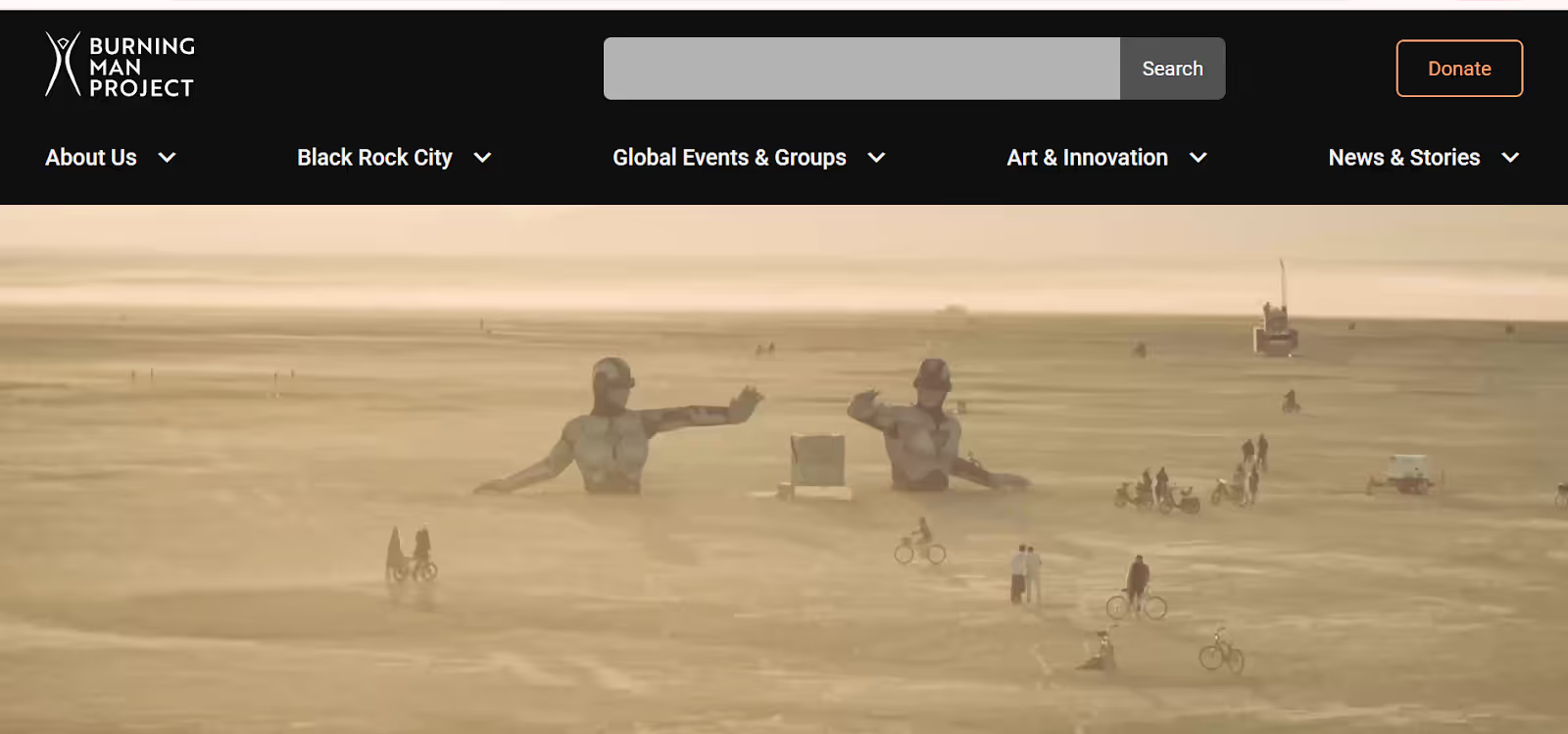
Burning Man is not an ordinary festival, but a complete community and cultural event. Their site is created to portray that distinctiveness.
- Rather than just concentrating on the tickets, it engages the visitor with its stunning videos and lifestyle behind the event.
- The site has a First-Timers Guide, survival tips, and an elaborate explanation of what to expect. This helps new visitors to feel encouraged and ready.
- The artistic images are also in line with the creative identity of the festival.
Why is this website a good example?
The website portrays the event as a culture and not just a promotional product. The integration of the video helps visitors understand the event and live the experience.
5. Adobe MAX Conference
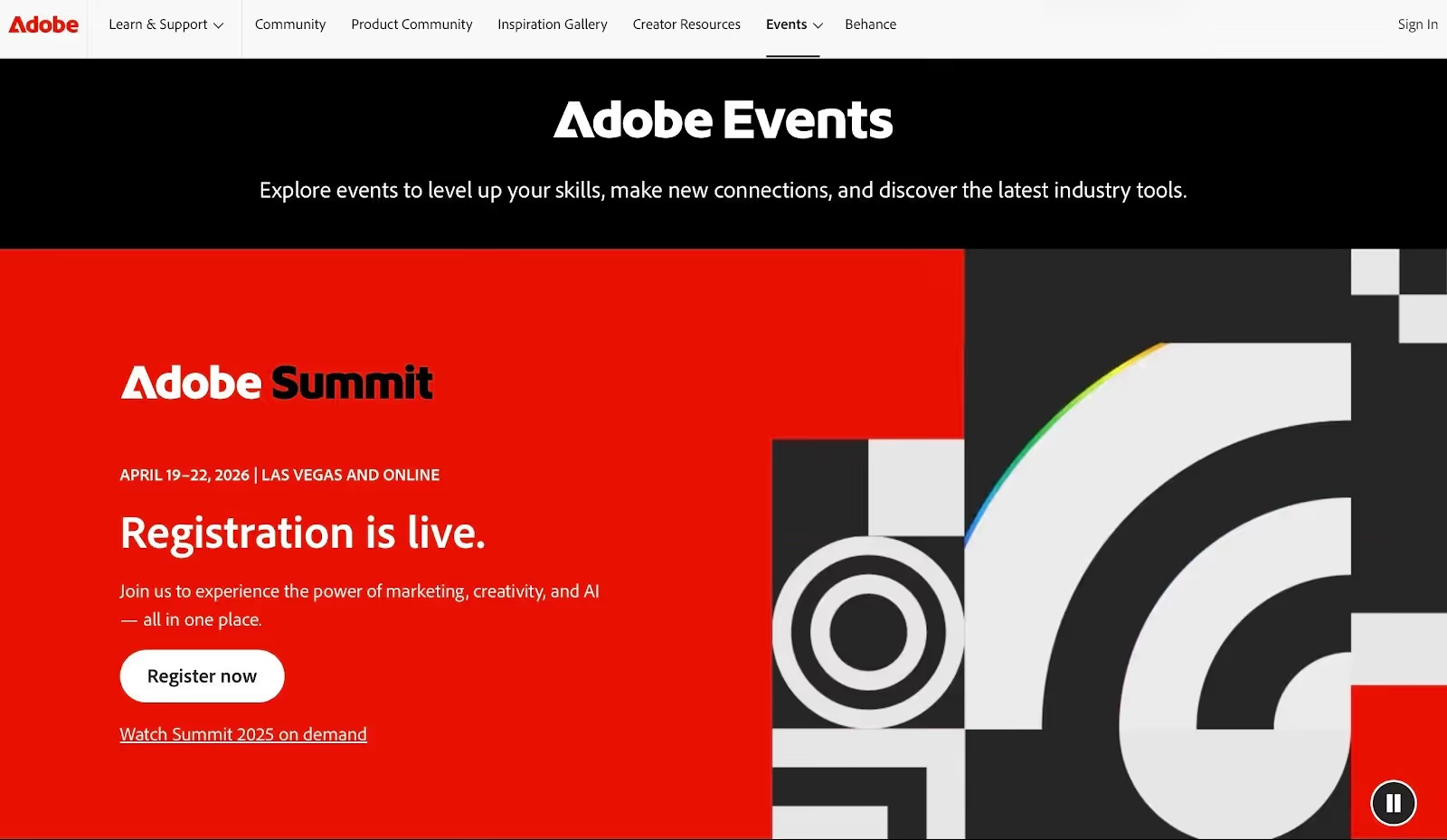
Adobe MAX is a convention that is designed to suit designers, artists, and creative professionals.
- It contains good graphics, up-to-date designs, and powerful typography that instantly comes across as motivating.
- The visitors can visit the profiles of speakers, the information about the sessions, creative workshops, and various tickets.
- The site also incorporates social media handles, which makes the site feel active and connected. The sponsors are displayed in a clear manner without distraction from the main content.
Why is this website a good example?
The website designs speak directly to the audience and creative professionals. The bold typography and modern layouts with branded colors reflect Adobe’s strong brand identity.
How You Can Create a Stunning Event Website for Conferences and Festivals?
For event organizers, creating an event website is a must if they want to attract an audience from all parts of the world. But creating it should not be a hassle. A modern, simple, and AI-powered website builder tool like Neo Sites can help you create a quick website or landing pages in no time.
Here’s how:
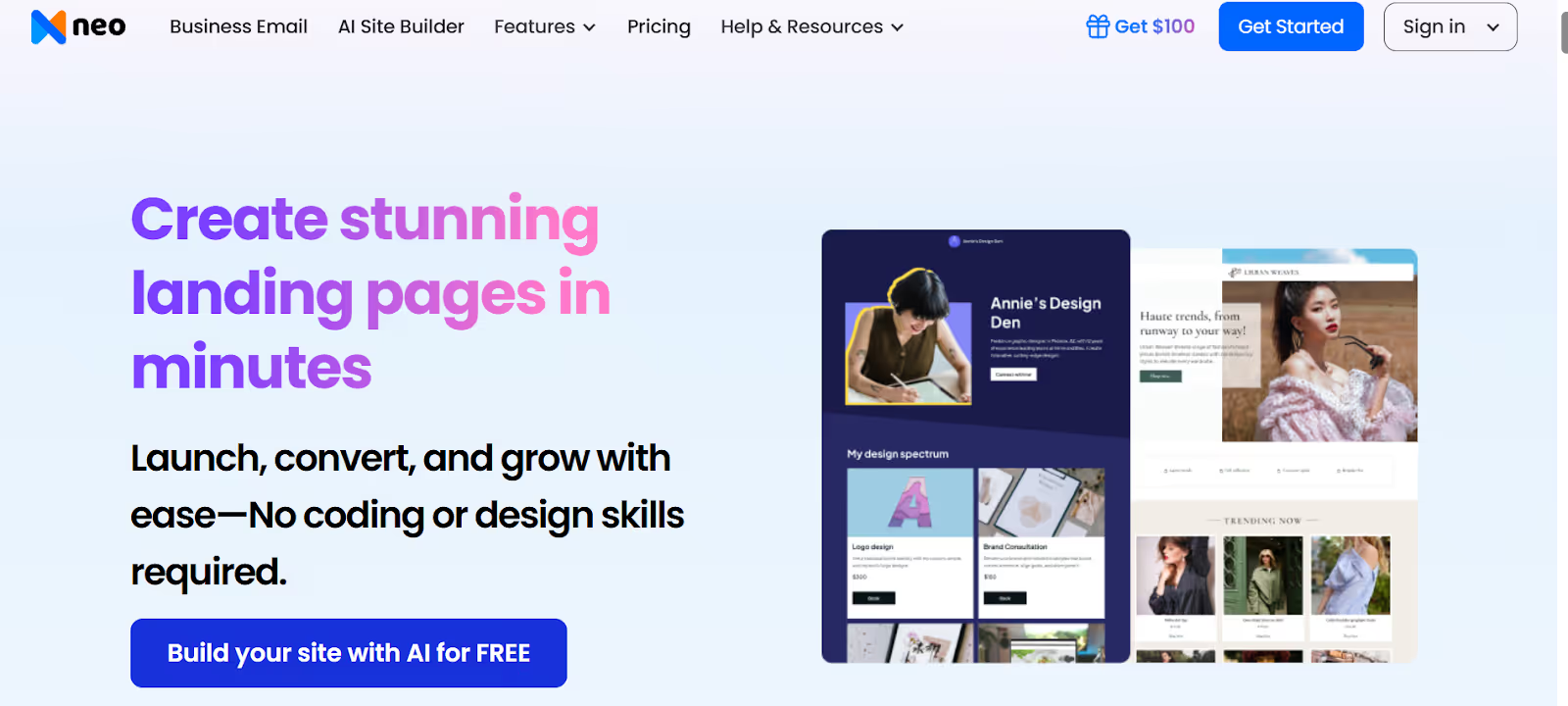
1. Visit Neo Sites. Then click ‘Build your site with AI for free’.
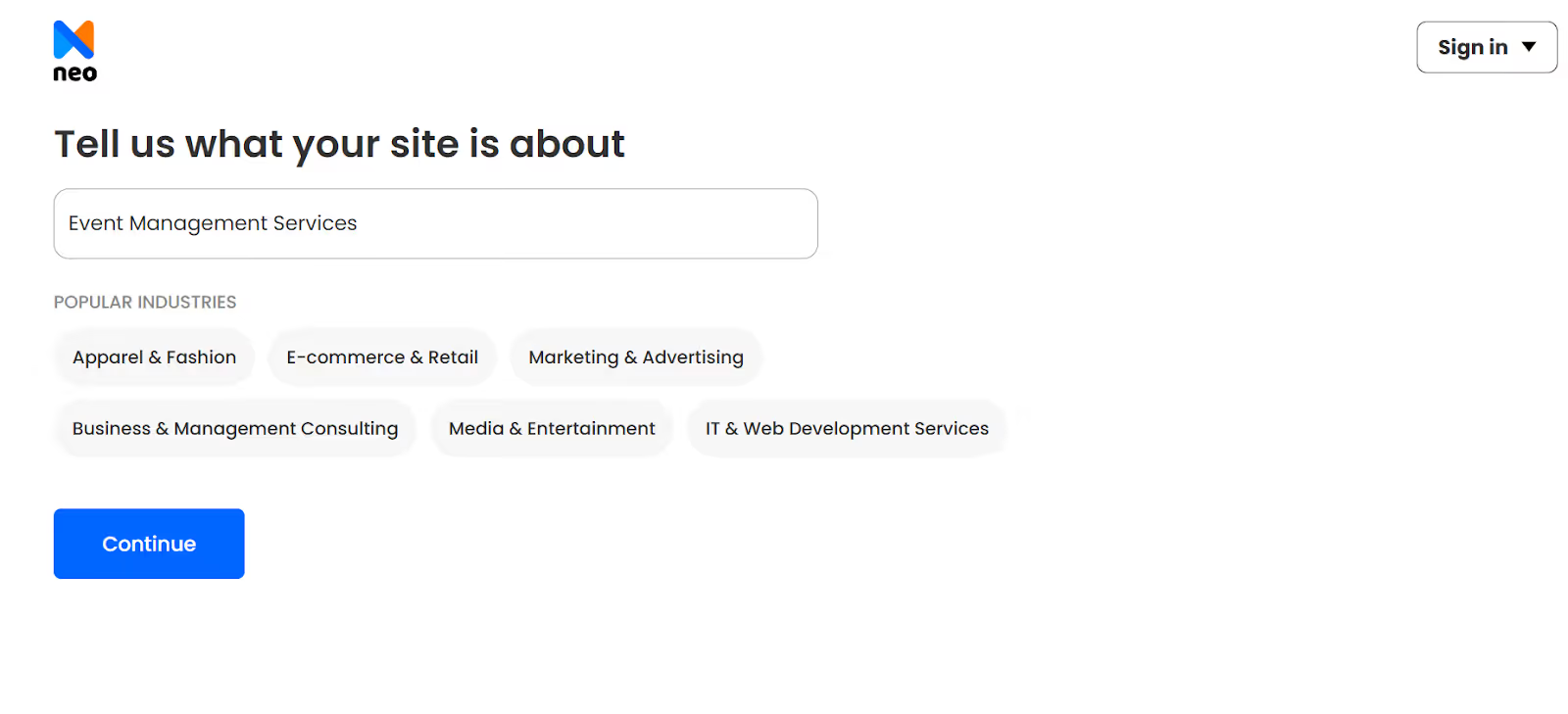
2. Next, describe the event website you want to build. Select the most appropriate category from the list. Then click on ‘Continue’.
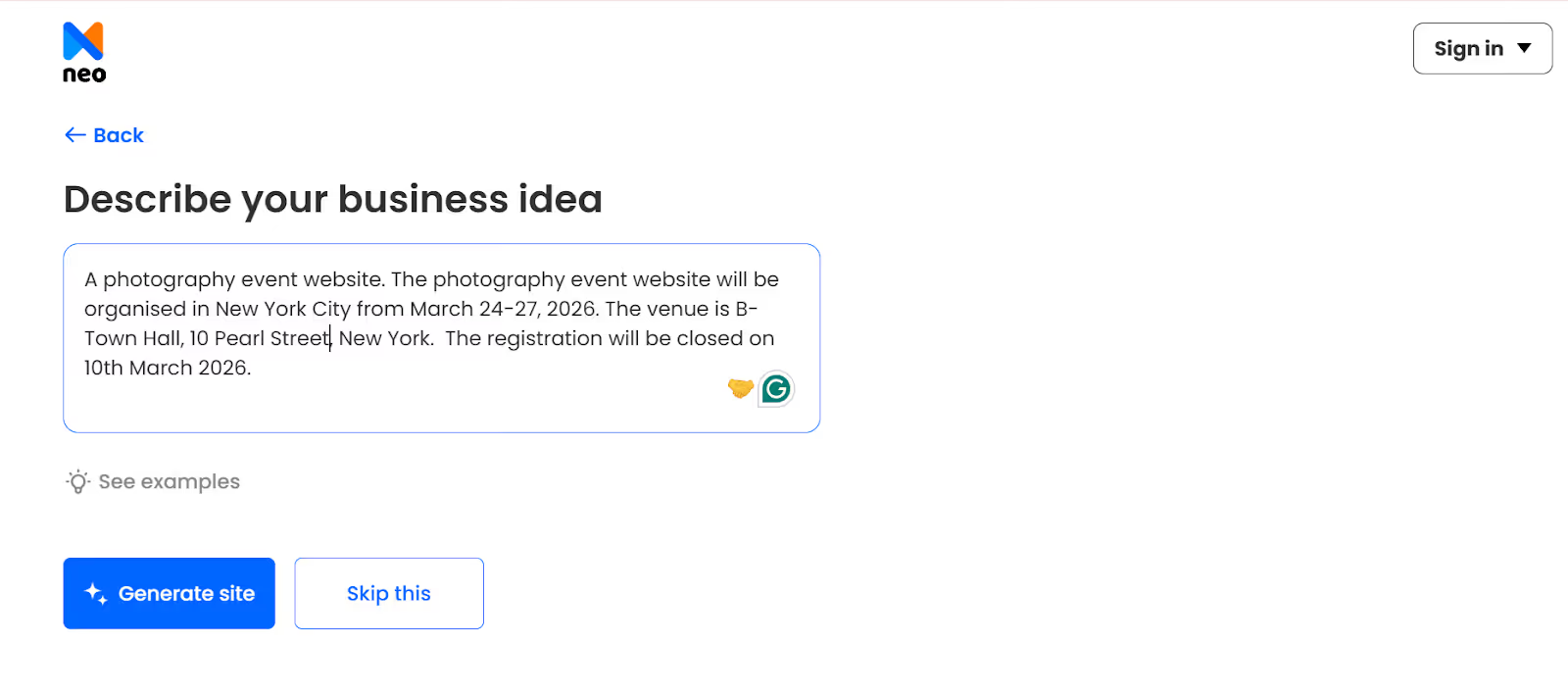
3. Add details about the website you want to build. Then click on ‘Generate Site’.
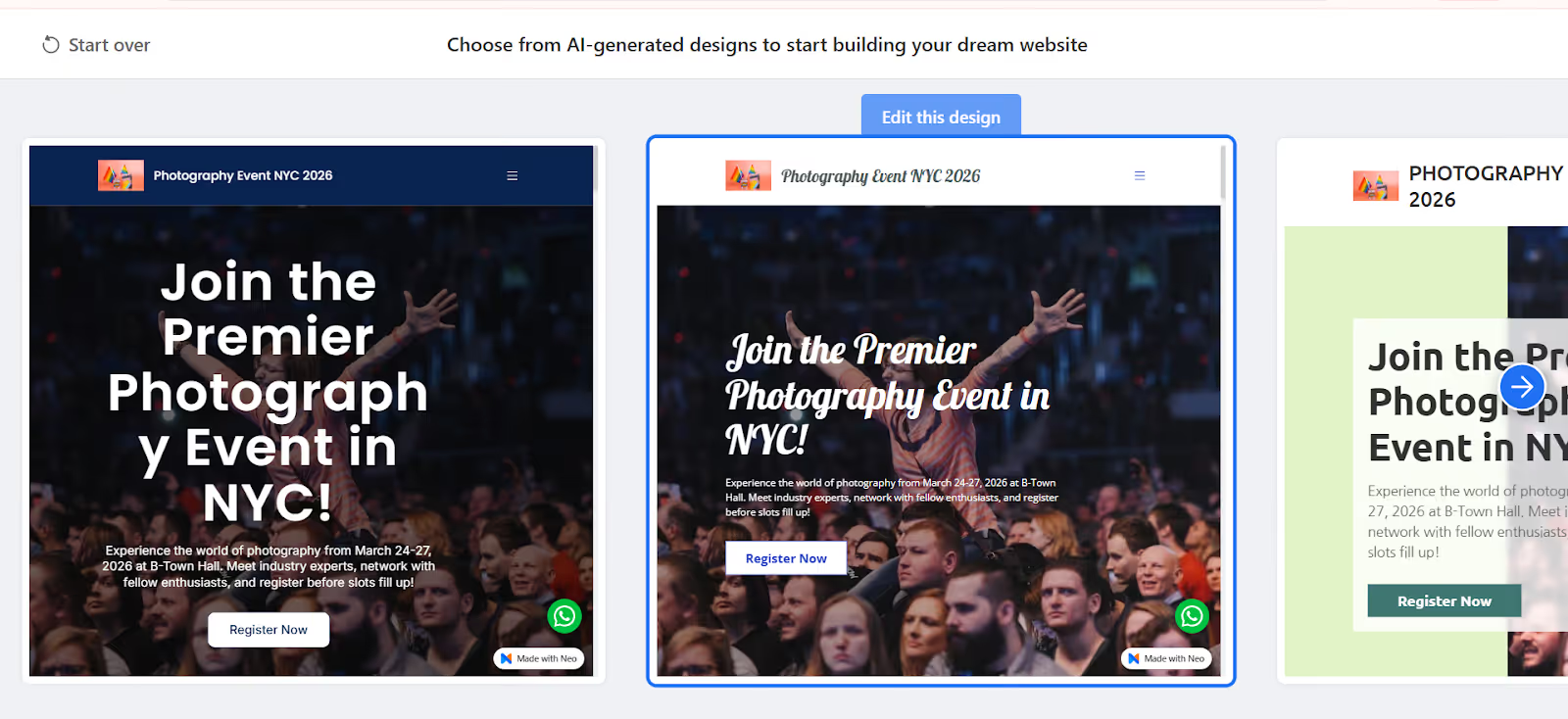
4. Once done, AI will generate intuitive website design options according to your description. You can choose the design that you find best, and click on ‘Edit this design’.
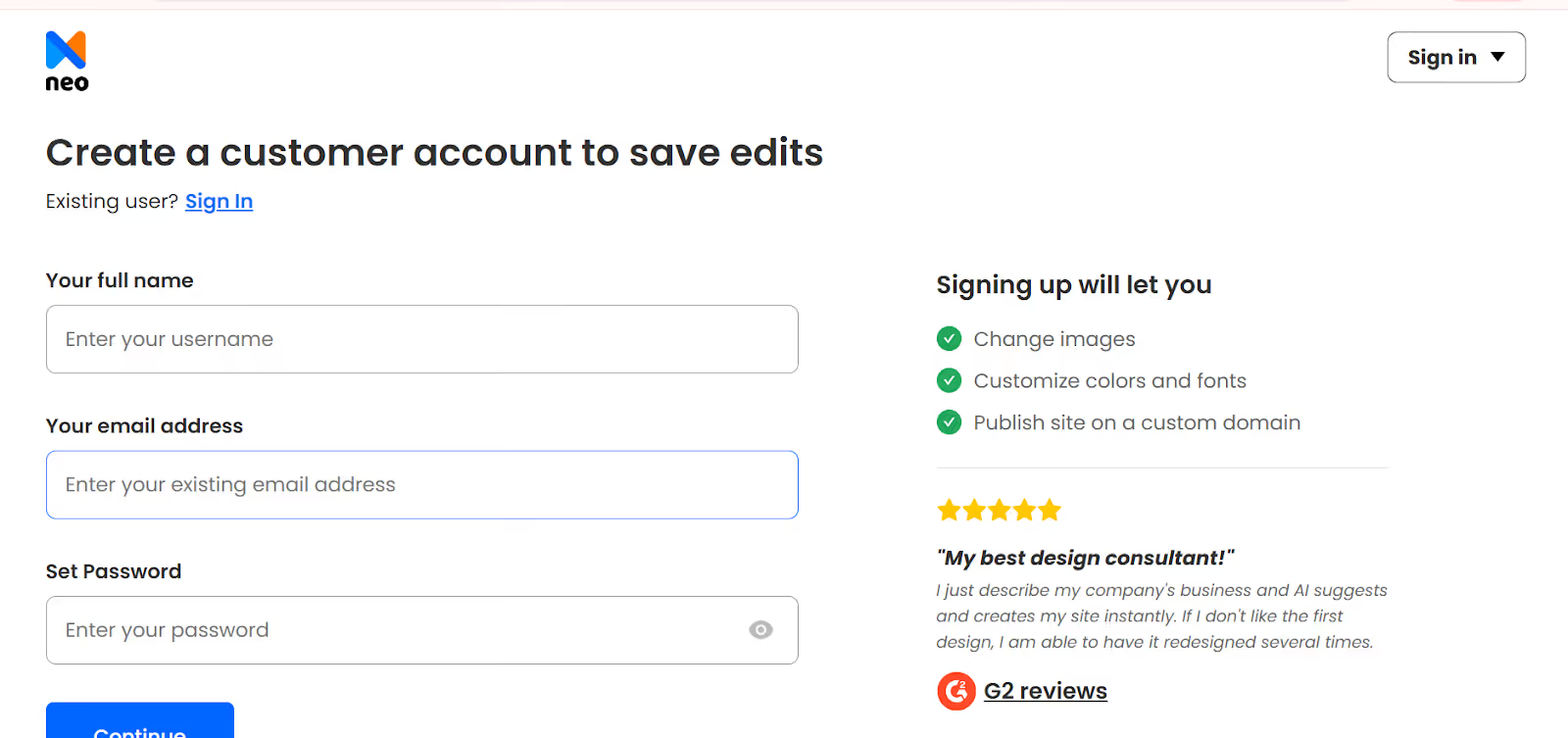
5. Before you edit, Neo Sites will ask you to create a customer account. After entering all the information and creating the customer, you can register a custom domain for free, then customize the website and launch it.
Customizing an event website with Neo Sites is also easy:
- You can change the themes, website layout, add or change images, edit fonts, colors, and styles according to your brand or requirements.
- You add contact forms to transform your event website into a high-converting lead-generating website.
- You can use AI content generation to create quick website content.
- Make use of site analytics to see the performance of your website and take data-driven decisions to improve your website's performance.
5 Event Website Templates to Consider
Here are some event website templates that you can get started with:
1. Corporate/Business Event
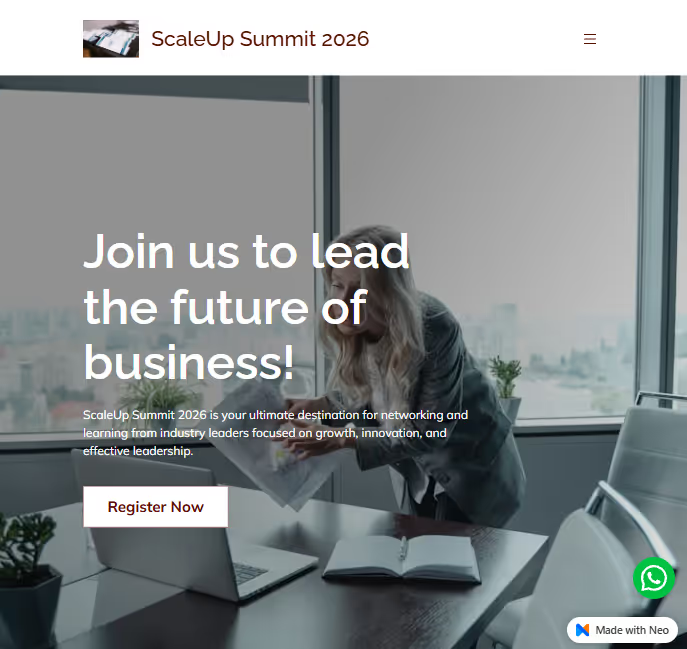
Get the template: Link
This template presents a confident, professional look that fits a business-focused event without feeling stiff or overly formal. Clear typography and strong contrast make the headline easy to scan at a glance, and the prominent call-to-action feels purposeful and direct.
2. Music and Entertainment Event
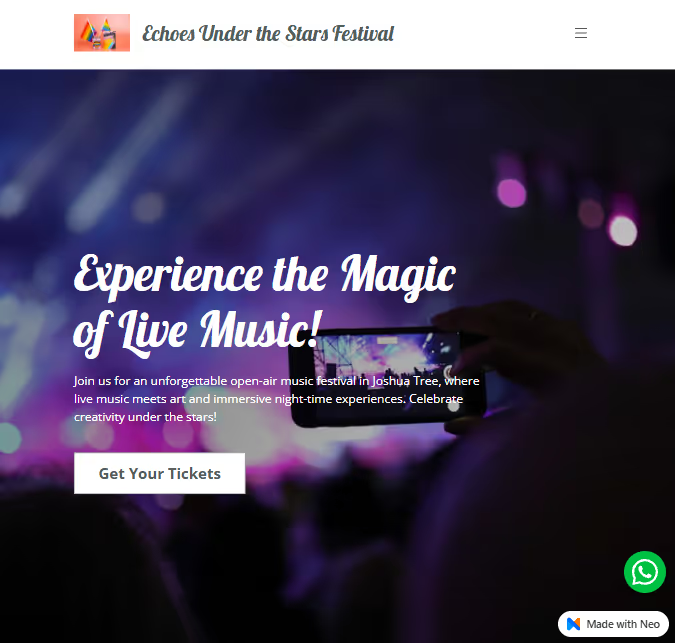
Get the template: Link
This event website template leans into emotion and atmosphere, using rich, low-light visuals to instantly recreate the feeling of a live concert at night. The blurred stage lights and glowing colors add depth and energy, while the foreground silhouette draws viewers into the crowd, making them feel part of the experience.
3. Cultural and Heritage Event
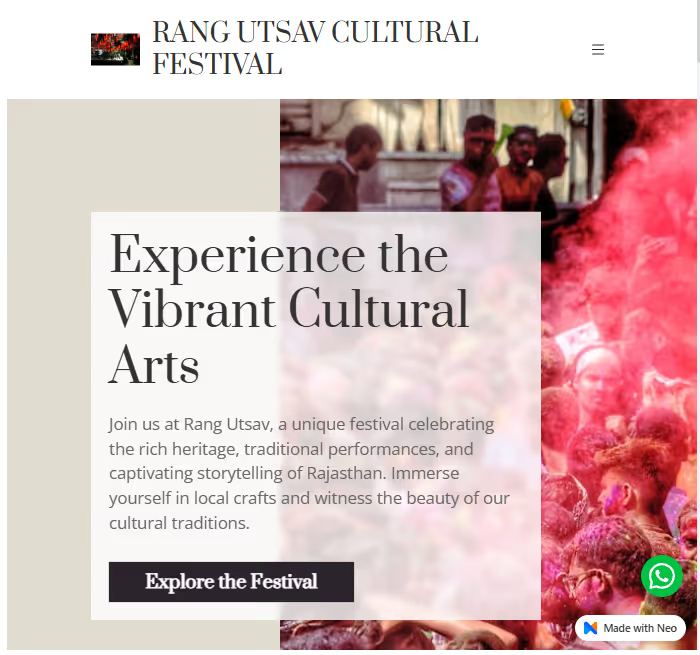
Get the template: Link
This template celebrates culture through warmth, texture, and storytelling rather than high energy. The layout feels grounded and inviting, using soft neutrals to balance the burst of colour from the festival imagery.
4. Tech and Innovation Event
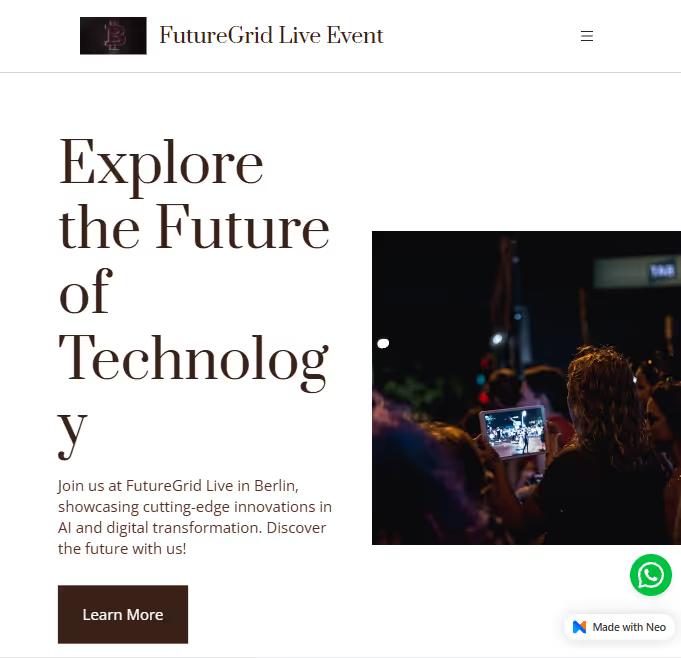
Get the template: Link
The oversized headline immediately sets a bold, visionary tone, while the generous white space keeps the experience uncluttered and focused. The imagery is deliberately modern and slightly understated.
5. Lifestyle and Wellness Event
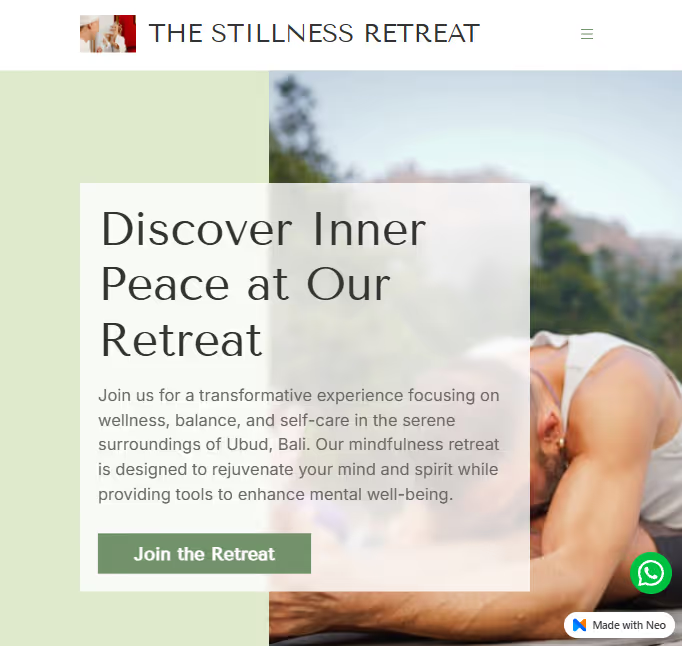
Get the template: Link
The soft, muted color palette paired with natural imagery creates a sense of openness and ease, setting the emotional tone before the text is even read. The translucent content panel gently separates the message from the background. This makes the copy feel light and breathable rather than boxed in.
What to Remember When Creating an Event Webpage Design?
Creating an event webpage is not only about putting information online. It is about creating a space where people can understand your event, get excited about it, and trust that it will be worth their time. For many visitors, your website will be the first contact with your event. That first impression and thoughtful design can make all the difference.
Below are some important things to keep in mind when creating an event webpage that feels clear, warm, and inviting.
1. Make the Most Important Details Instantly Visible
When someone lands on your site, they shouldn't have to guess what the event is about. The name of the event, date, and purpose should be easy to spot within the first few seconds.
People visit event websites seeking quick answers, but if they have difficulty finding basic information, they may leave without exploring further. A good event webpage is simple and direct, like a friendly welcome sign.
2. Assist Visitors in Registering or Purchasing Tickets Without Friction
One of the primary objectives of an event website is to direct visitors to attend. This means that registration and ticket booking should be smooth and stress-free. The call-to-action button should be clear, and the steps should be short and easy to follow.
Most people do not like to fill out long forms or search for the ticket page. The best event websites make the process seem effortless so that visitors can commit in a few clicks.
3. Let the Website Represent the Personality of Your Event
Every event has its own mood. A corporate conference is very different from a cultural festival or a creative workshop. Your webpage design should reflect your theme, brand, and goal. Fonts, colors, images, and layout all should influence the way the visitor feels.
When the design captures the spirit of the event, people are emotionally connected. They start to imagine themselves being a part of the event, and that connection makes them more likely to attend.
Tip: Create a branded website that integrates all your brand elements. If required, you can build a website with forms for lead capture, event registration, and booking. This helps in simplifying your registration process and in collecting the visitor’s details beforehand.
4. Use Visuals That Enhance the Experience, Not Detract From It
Photos and videos can help add life to an event webpage. A good banner image, a hint of what has happened in the past, or speaker visuals can make visitors feel excited. But visuals should be used with care.
Too many graphics or sections can overwhelm people and make the site more difficult to navigate. A good balance of text and visuals keeps the page engaging without being confusing.
5. Establish Trust with Real and Helpful Information
People want to feel certain before they spend money or time on an event. Adding details such as speaker profiles, session highlights, sponsor names, testimonials, or photos of past events can help build confidence.
These elements make visitors feel that the event is real and well-organized. Even small touches, such as making sure contact information is clear, make the webpage feel more reliable and professional.
Note: For contact information, make sure to use professional business emails of your teams or the responsible person. Adding a generic email address in the contact page or details will make your website look unreliable and unprofessional.
6. Design for Mobile Users From the Beginning
Many visitors will access your event page on their phones when they are travelling, working, or scrolling through social media. If your website doesn't load correctly on mobile or buttons are too small to tap, people can quickly leave.
A mobile-friendly design is not optional anymore - it is a must. A good event webpage should be smooth and easy on every screen.
7. Include Supportive Sections Answering Visitor Questions
Before attending, guests often have simple concerns: What is the schedule? Is parking available? What should they bring? Is the event family-friendly? And many more.
Adding an FAQ section or clear guidelines on the event website helps visitors feel prepared. When people feel supported and informed, they are much more comfortable and confident in booking the event or making the payment.
What to Do After Launching the Event Website?
After launching your event site, you should also have effective tools to handle communication with attendees and online questions. People tend to call in order to have registration confirmations, sponsorship requests, requests to speak, or general enquiries. It can easily become messy and unprofessional to do this using personal email accounts.
Solution? Use professional email communication or email hosting services. You can make use of simple tools like Neo Mail to create a professional business email linked to your branded event websites. This business email can be used to communicate with your event visitors or respond to queries.
When creating a business email with Neo Mail, you also get a free (.co.site) domain. That means you do not need to make any upfront investment in purchasing a custom domain for email.
Read: How to create a professional email address with or without an existing domain.
After you create a professional email address, managing a professional inbox can come as a challenge. Neo Mail understands this and offers a rich suite of email management and growth features to simplify the management of your professional inboxes.
- It offers free, powerful AI-based features like AI Smart Write that assist users in creating content for emails.
- Allows email forwarding, users can easily migrate their existing emails to Neo Mail.
- Offers appointment booking and scheduling capabilities.
- Provides priority mail tracking for email read receipts.
- Comes integrated with standard inbox features and growth suite, such as email rules, multi-account support, HTML-In-Compser, on-click import, send later, follow-up reminders, email campaigns, email templates, etc.
- Also offers email signature designer capabilities.
The best of all, website building and email hosting with Neo, comes at an affordable price that scales gradually, keeping in mind the requirements of small event management companies, organizers, or freelance event hosts.
The Bottom Line
The best event pages don't have to be the most elaborate; they just have to make visitors feel informed and encouraged to attend an event, whether a conference or a fest. People are much more likely to go when the information is clear, easy to understand, and signing up doesn't take too long.
Your website is the main place where people interested in your event will actually visit, before showing up at your event. So, maintaining simplicity and thoughtfulness in your event website design is crucial. Explore and take ideas from high-converting event website examples, and implement their strategies in your website designs. Then, make use of smart, AI-driven platforms like Neo Sites to build appealing websites for your events. The goal should be to create a website design that gathers engagement from large audience groups and turns that engagement into actual sales.
FAQs
1. How long does it take to build an event website?
Using modern website builders that use AI power, you can create a basic event website in minutes. But customizing it and adding brand elements may take time, according to your requirements.
2. Should I create a new website for each event or reuse one?
If you host the same annual event, keep one website and update it each year. This builds SEO value, and returning visitors know where to find you. If you host different types of events, you might create separate websites for each or have one main website with different sections.
3. What's the most important page on an event website?
The homepage is the most important webpage because it's usually where visitors land first. It should immediately communicate what your event is about, when and where it happens, and include a clear call-to-action to register. The ticketing/registration page is equally crucial because that's where conversion happens.
4. How do I make my event website appear in Google search results?
Use SEO (Search Engine Optimization) strategies. Include relevant keywords like your event name, type, and location throughout your content naturally. Create unique page titles and meta descriptions. Add your event to Google My Business and local event directories.
Get Business Email
No domain name required
Build a website for your event
with Neo Sites
